The MESPAS notificaiton system allows you to be notified about new events indicated by the bell icon in the top menu bar on the right side .
A red dot indicates that there are unread notifications available. If you press on the "Notifications" icon the notification side-bar opens and the red dot disappears.

View notifications and warnings
 |
What options the notifications offer?
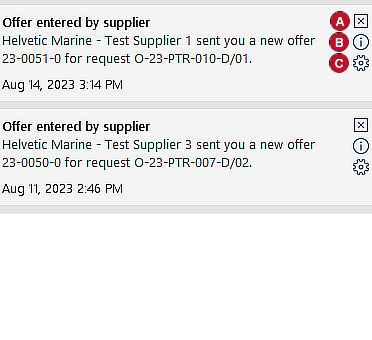
You can remove the notification actively by pressing the cross icon
The information icon
If you decide to change the settings of the notifications (i.e. not receiving so many of them) you may press the gear wheel button Same screen can also be accesses by the menu item "Admin notifications".
By pressing the "Notifications" button again, the
|


Admin notifications
MESPAS has defined global notifications for informing about important events or for alarming about exceeding values according to rules. This is currently implemented for the sections:
oNoon Report
oProcurement
Notifications can be configured on a "per user" level. How to configure the notifications?
Go to "Settings" > "Admin notifications".
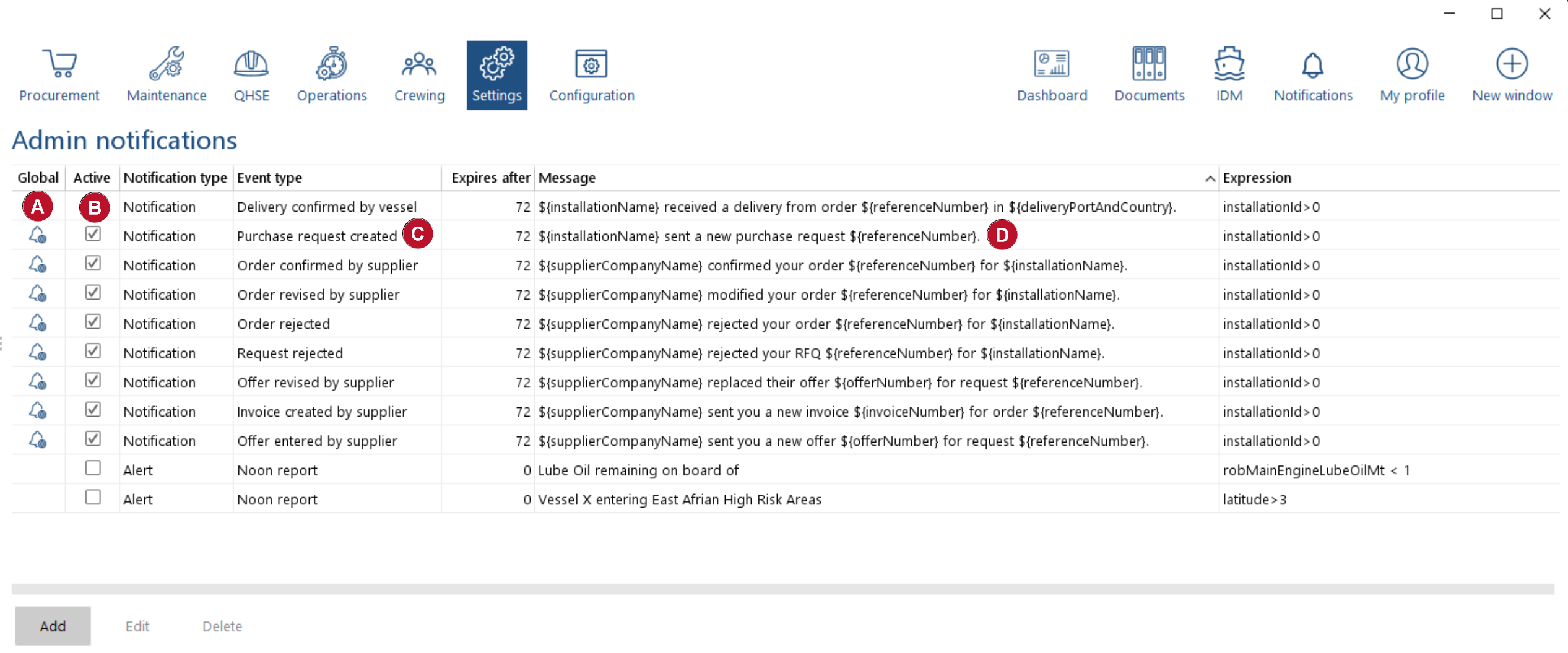
MESPAS offers global notifications
There are two different kinds of notifications : Notifications & Alerts
•An alert refers to an exceptional situation that requires attention and has to be acknowledged by one user. A history of all alerts (including the user who acknowledged the alert) is kept by the system in the section "Settings" > "Alerts history". •A notification informs a user about an event happened and is needed to continue timely in a specific work flow. One example is the notification about a new invoice that was added by the supplier to the MESPAS SBM system |
||
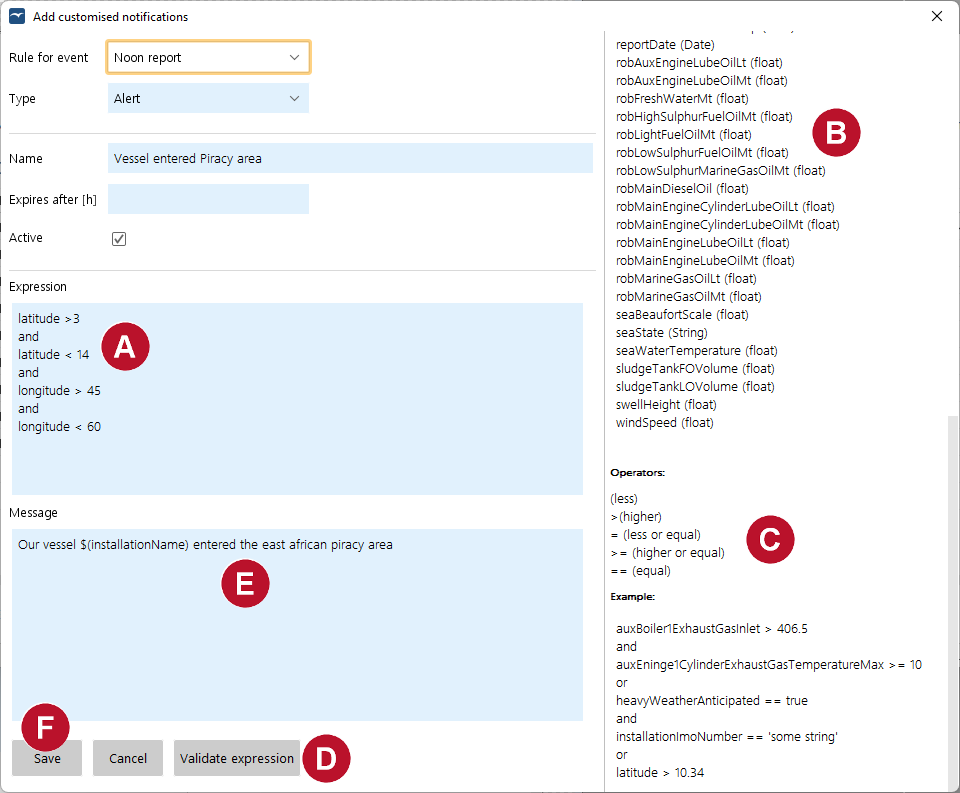
To define a new alerting or notification definition click on "Add". You may also select and edit or delete an existing notification. Add a new notification
1.Select at "Type" if the notification is a warning or an alert. 2.Enter a notification title in "Name".
3.If it is a warning, enter the time (in hours) until the warning expires.
4.You may deactivate the notification by removing the ticker at "Active".
5.Enter the expression that triggers your notification: •Use the variables listed at the right top side of the window. •Combine the variables with "and", "or" and the operators at the right bottom side of the window. •When using a text field (e.g. installationName == 'Testvessel') put it in inverted commas ('xxx'). •When using the position fields latitude and longitude put a minus for South and West (latitude <-15.5 is further south than 15° 30 minutes). 6.Test the expression with "Validate Expression". 7.Enter the message of your notification. •If the notification shall display a variable you have to put a dollar sign $ in front and curvy brackets { } around the variable (e.g. ${installationName} ). 8.Click on "Save". |
||
|



Examples
Description |
Expression to enter in Notification Configuration |
Example Message |
Warning when the LO on storage is below 200mt. |
robMainEngineLubeOilMt < 1 |
Lube Oil remaining on board of ${installationName} is below 1mt. |
Alert when inlet temperature of one of the two exhaust gas boilers too high. |
AuxBoiler1ExhaustGasInlet > 420 or AuxBoiler2ExhaustGasInlet > 420 |
Inlet temperature at Exhaust Gas Boiler on ${installationName} is above 420° C. Check that the crew does overhaul on the respective turbocharger. |
Warning when a vessel enters a defined sea zone (e.g. coast of Somalia). |
latitude > 3 and latitude < 14 and longitude > 45 and longitude < 60 |
Vessel ${installationName} entered East African piracy area. |