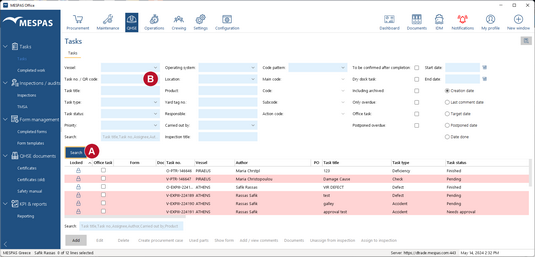
Go to menu "QHSE" > "Tasks". •Restrict your search by specifying search criteria and click "Search" •Below the date frame filter (Start- and End date) you can select the kind of date you filter for (Creation date, Target date, etc.). •Tasks that are overdue are highlighted red. •The available codes in the drop down fields Main Code, Code, Sub Code and Action Code depend on the Code Pattern. Adding the respective codes to a task allows you to filter for codes on any level and to create the respective reports in MESPAS TSM and MESPAS Reporting Engine (MRE). •If you are using a bar code scanner, click into the field "Task no./QR code"
You may also click "Search" without specifying search criteria. In this case all tasks for your fleet are displayed. |