|
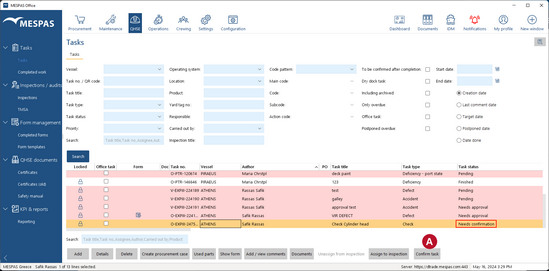
The state "Needs confirmation" only appears if the ticker "To be confirmed after completion" was set when the task was created. Only the initial creator of the task can confirm and close it.
1.Go to menu "QHSE" > "Tasks". 2.Select a task having the state "Needs confirmation". 3.Click "Confirm task" 4.The task's new state is "Finished". Archived tasks can not be confirmed. To confirm an archived task you first have to un-archive it. |