 |
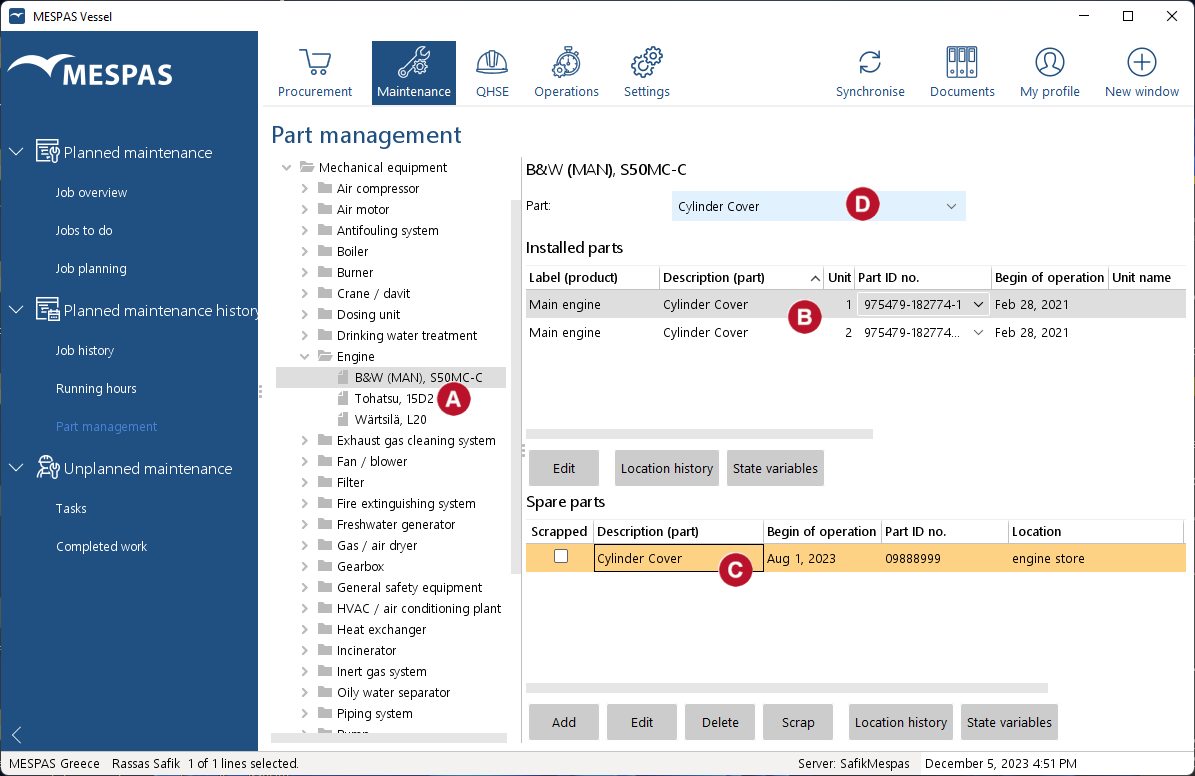
1.Go to menu "Maintenance" > "Part management". 2.Select a product in the tree.
3.All installed parts, instances of parts 4.You may use the drop-down menu to filter the installed parts and spare parts |
Monitor installed instances of parts and spares for a product |
Top Previous Next |
|


