The feature "Suggest Supplier" helps you to find appropriate suppliers based on their own settings.
|
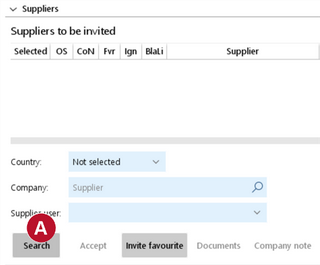
Open the detail section "Suppliers" of a request template. 1. Click on "Search" |
|
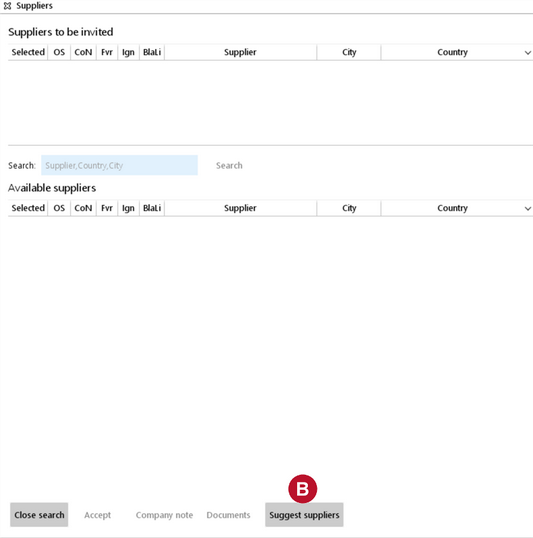
2. Click on "Suggest supplier" to use the suggest supplier feature |
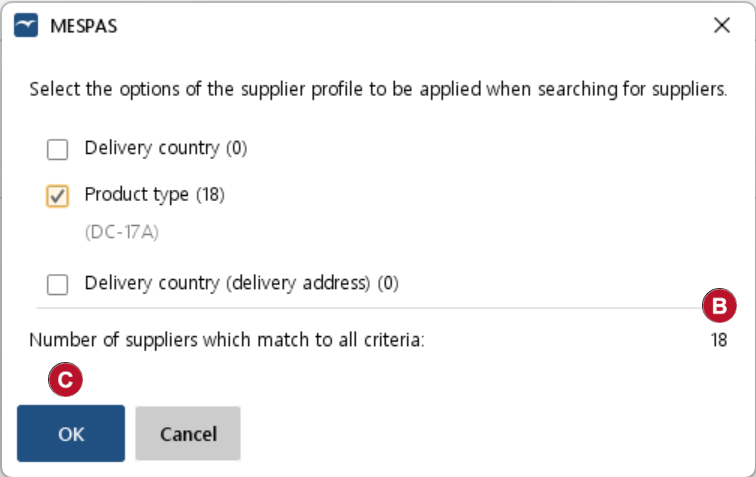 |
You may now combine three filters to optimize the supplier list. There are two Delivery country filters: 1."Delivery country" filters for suppliers able to deliver to the selected country defined in the delivery terms section. 2."Delivery country (delivery address)" filters for suppliers able to deliver to the selected country in the delivery address record. 3.The filter for "Product type" is indicating if a supplier has ever quoted or received an order for the selected type. If you combine the three filters you get the corresponding intersection in a number of matching supplier records 3.Click on "OK" |
|
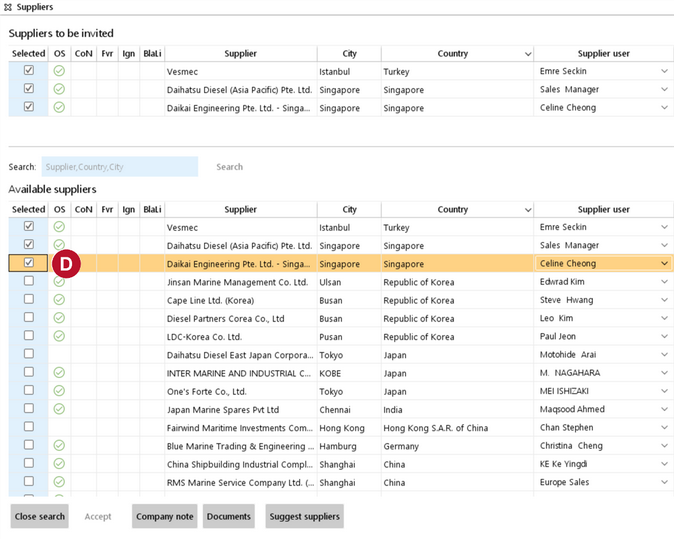
5.In the list of available suppliers, choose one or more suppliers by ticking the selection field 6.Click on "Close search" to go back to the procurement screen. |
 .
 .
 and the system will list the suppliers according your selection.
 .