|
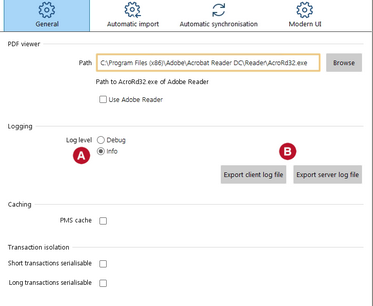
Only change log level if asked to do so by MESPAS support. |

|
Set the log level1.Select "Settings" > "General settings" 2.Choose the "Log level". a.Debug: extensive logging of much more events. b.Normal log level as default setting. 3.Close the window and restart the software client.
Export logs There are separate logs for the MESPAS TSM offshore client software running on the computer you are working at and for the MESPAS Cube (server). You may export either at any moment. Caching and Transaction Isolation Please leave the tickers in Caching and Transaction Isolation set if not asked by MESPAS support to remove them. |