|
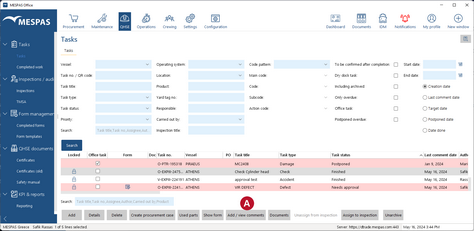
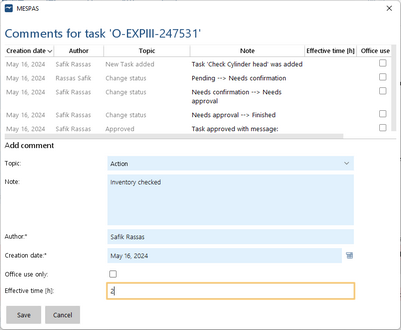
You can only ADD comments to a task if the task is not set as "Is archived" and its state is "Pending" or "Postponed". You can always VIEW comments for any state. Add comment1.Go to menu "QHSE" > "Tasks". 2.Select a task having one of the above states and is not set as "Is archived". 3.Click "Add/view comments" 4.Click "Add". 5.Fill in comment details and enter the time used. 6.Click "Save". View comment1.Go to menu "QHSE" > "Tasks". 2.Select any task. 3.Click "Add/view comments".
System generated commentsThe below actions on a task generate automatically a comment. These comments can be used like a log that records the most important changes on a task and the person that did it:- creation of the task- assignment or removal of a document- assignment or removal of an inspection- assignment or removal of a form- assignment or removal of parts |