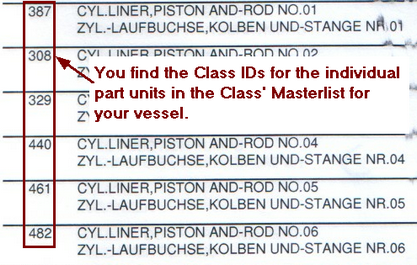
Some insurance classification societies require IDs for part units. IDs for products can be managed by the office. However, IDs for part units have to be managed on the vessel. This is done in Part management section. Please have the class' master list from the continous machienry survey (CMS) items for your vessel ready and follow these steps.
 Where do you get the class IDs which you need to enter into the field "Class ID"
|
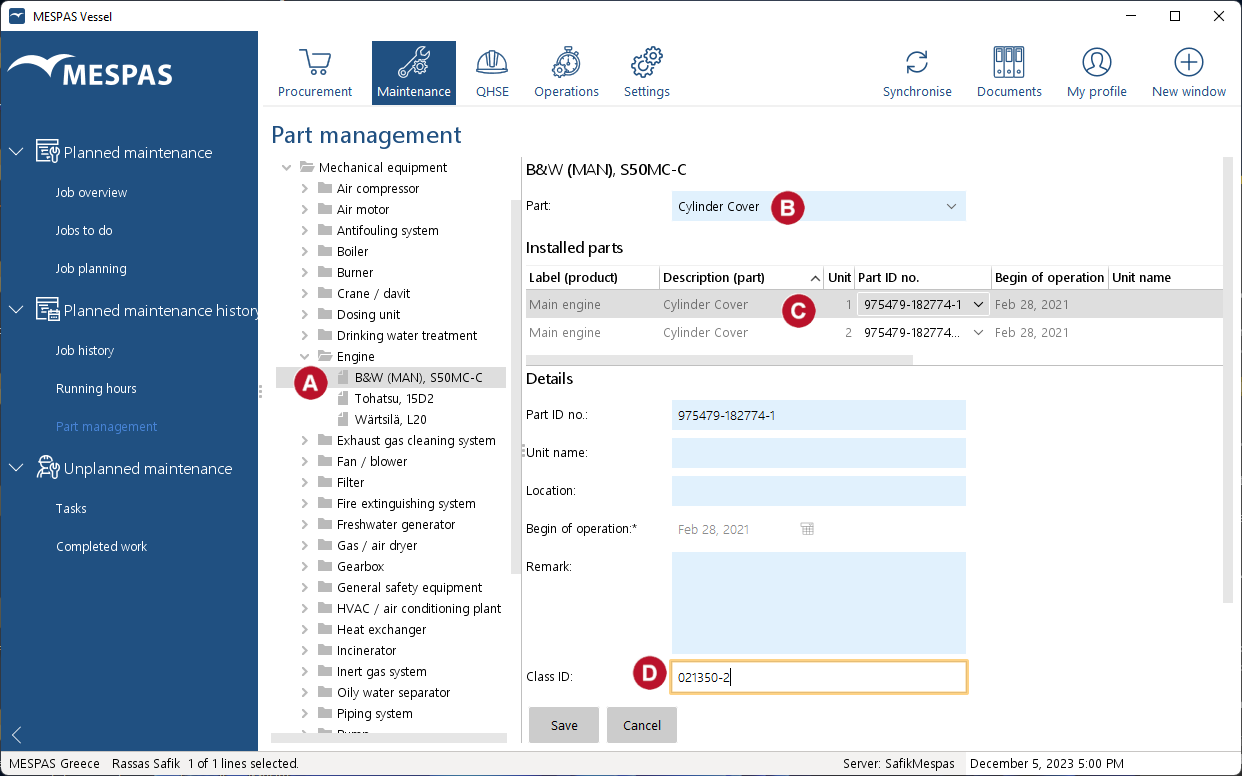
1.Go to menu "Maintenance" > "Part management". 2.Select any product in the tree 3.Activate a part by selecting it from the drop-down menu 4.Select a unit in the list of installed parts 5.Click "Edit". 6.Enter/edit the Class ID for the selected unit 7.Click "Save". |
 ?
?