|
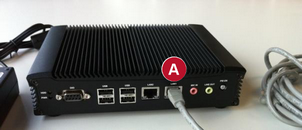
1.Have all 5 items of the delivery box ready 2.Connect the network cable to the MESPAS Cube at socket „LAN1“. Then connect the other end of the network cable to your network switch or router |
||
|
3.Connect the power cable to the power adaptor |
||
|
4.Connect the other end of the power cable to a power socket. Note: Please do not connect the power cable to a switchable multi-pin plug. Use a single socket for the MESPAS Cube. |
||
|
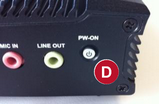
5.Press and hold the ON/OFF button for at least 5 seconds |
||
|
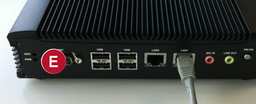
6.Verify that all cables are firmly connected and position the MESPAS Cube so it can„t move.
7.Switch on the MESPAS Cube by pressing the ON/OFF button. |
||
|
|