|
User groups can be created to then define a set of user roles for each user group. Like this user roels and privileges can be easily applied to certain groups of users.
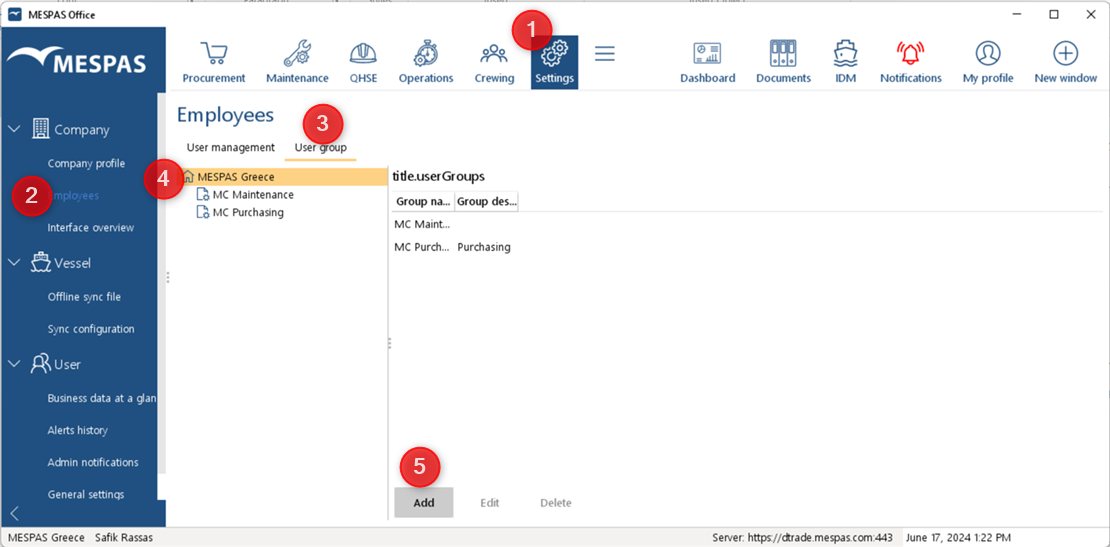
To create user groups in MESPAS log in as Company Administrator.
1.Click menu Settings
2.Click Employees.
3.Click User group tab.
4.Click on your company name
5.Click Add Then you can add the group name and a group description and Save the result. Repeat step 1 to 5 until you have added all your user groups needed. |
|
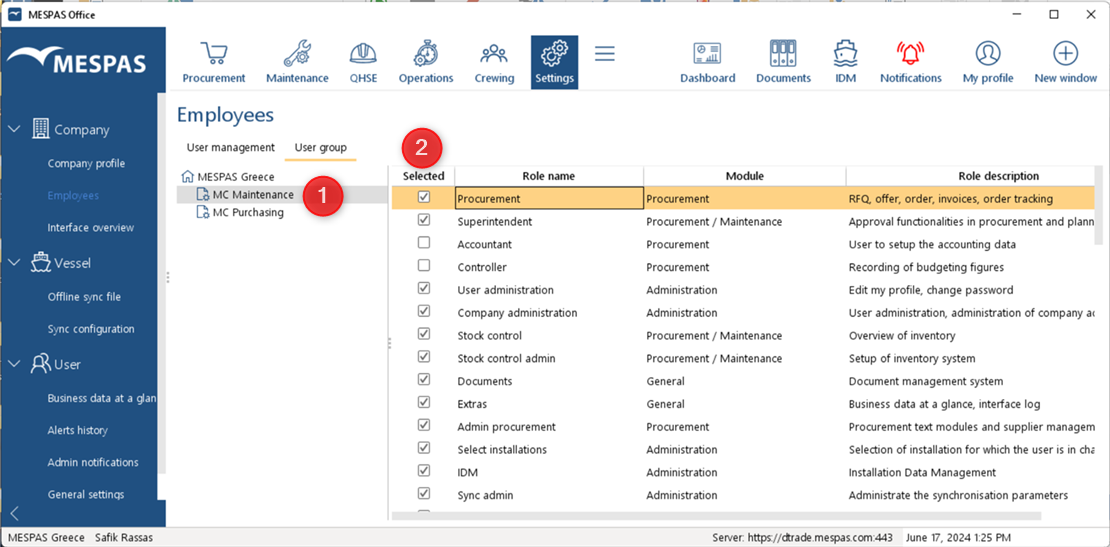
Now you can define standard roles to each user group you have created in above steps. 1.Click on the user group of your choice.
2. on the right side you will be presented the User roles that can be assigned to the user group. Tick the user roles you wish to be assigned to this user group. Then you can go to the next user group or leave the screen. There is no "Save" action needed. |