You might need to amend some content of job cards filled in by the crew. MESPAS offers an audit-proof way of doing so.
 1.You can select the button "Edit job Card" 2.Now you can edit whatever fields need to be amended. 3.After finishing the corrections/amendments you "Final Save" the job card.
The modifications done in job cards are logged for audit reasons. 1.Select the job that you have modified the job card and click on "Details". 2.Select the tab "Job card change log". 3.you can see now who has changed which field(s) and when. 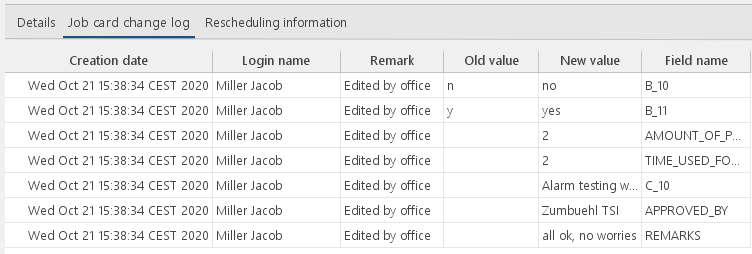 |
 . It will open the job card in the PDF viewer.