|
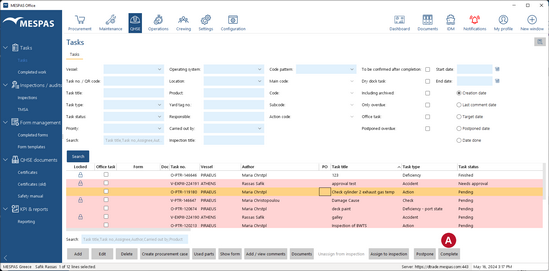
You can only close tasks if the task's state is "Pending".
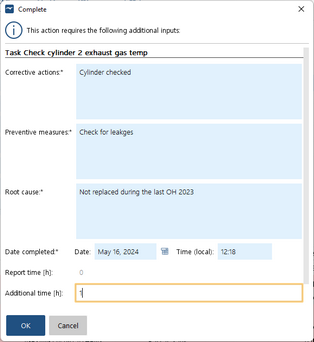
1.Go to menu "QHSE" > "Tasks". 2.Select a pending task. 3.Click "Completed" 4.Fill in the solution found and preventive measures taken. 5.Enter the time used. 6.Click "Completed". 7.The task's new state is "Finished" if the tasks does not need confirmation by its initial creator. Otherwise the new state is "needs confirmation". |