|
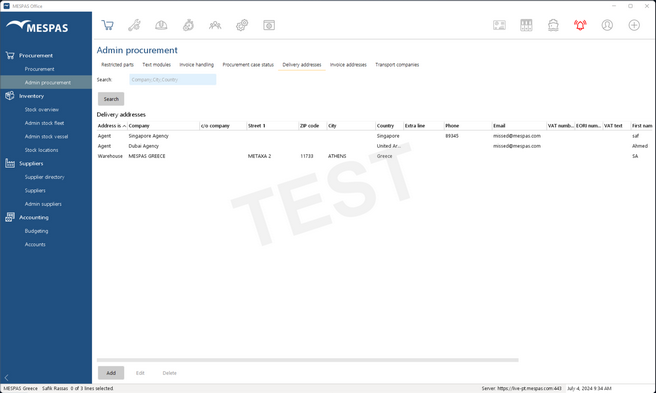
1.Go to "Procurement" > "Admin procurement". 2.Select tab "Delivery addresses". 3.Click on "Add" to add an address. 4.Select an address and click on "Edit" to change it. 5.Select an address and click on "Delete" to delete it.
The delivery addresses will be available in the procurement section. |