You may edit or delete jobs for the entire fleet that are on vessel level, product type level or part level.
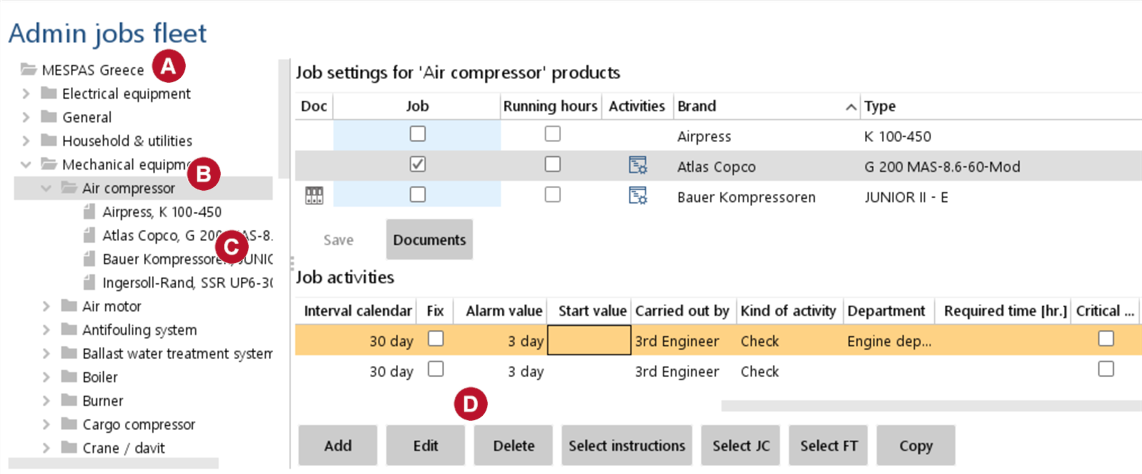 |
1.Go to menu "Maintenance" > "Admin jobs fleet". 2.Display jobs for the entire fleet by a.selecting the company name in the tree on the left b.any product category and any of its product types for displaying product type level jobs, c.any product type and any of its parts for displaying part level jobs 3.Select any job and click "Edit" or "Delete" respectively |


