You may disable or enable (and edit) vessel level, product level or part level jobs for individual vessels.
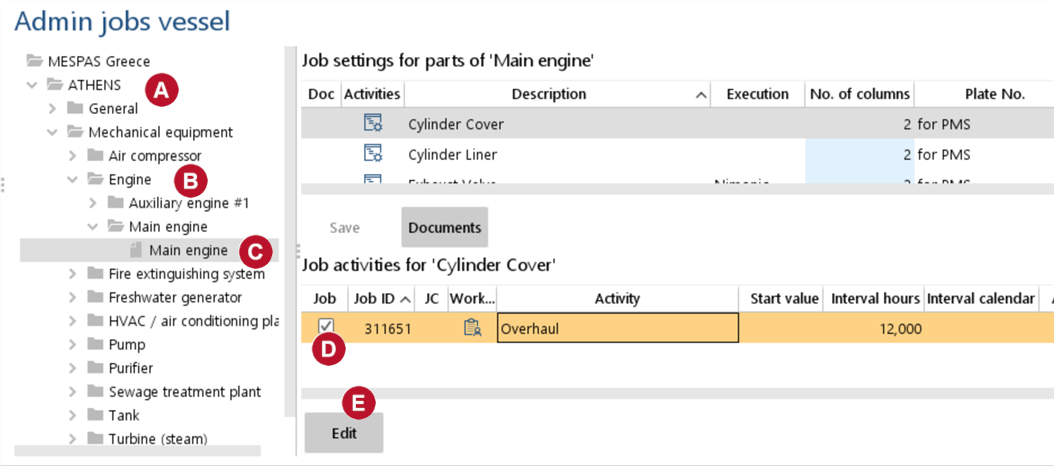 |
1.Go to menu "Maintenance" > "Admin jobs vessel". 2.Display jobs on fleet level by selecting a.any vessel for displaying vessel level jobs, b.any product on product level for displaying product level jobs, c.any product on part level for displaying part level jobs.
3.Select any job and enable/disable it by checking/unchecking the check-box
4.Click "Edit" to adjust the activity settings. |
|
When editing a job for a certain vessel, product or part you see on the left side
5.Change the settings for the selected vessel, product or part on the right side of the screen. 6.Click on "Save". The changed settings become effective on the respective vessel after its next synchronisation. |


