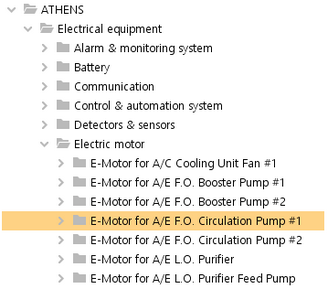
In the IDM screen, a related device can be detached from its product and become a top level product by itself.
Detach a device
|
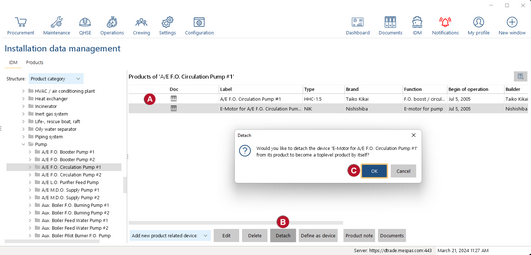
1.Go to "IDM". 2.Navigate in the tree to the product level. 3.Select a related device 4.Select "Detach" 5.Confirm the warning message
|


|
The product can now be found in its original category. (In this example "E-Motor for S.W. Cooling Pump") |