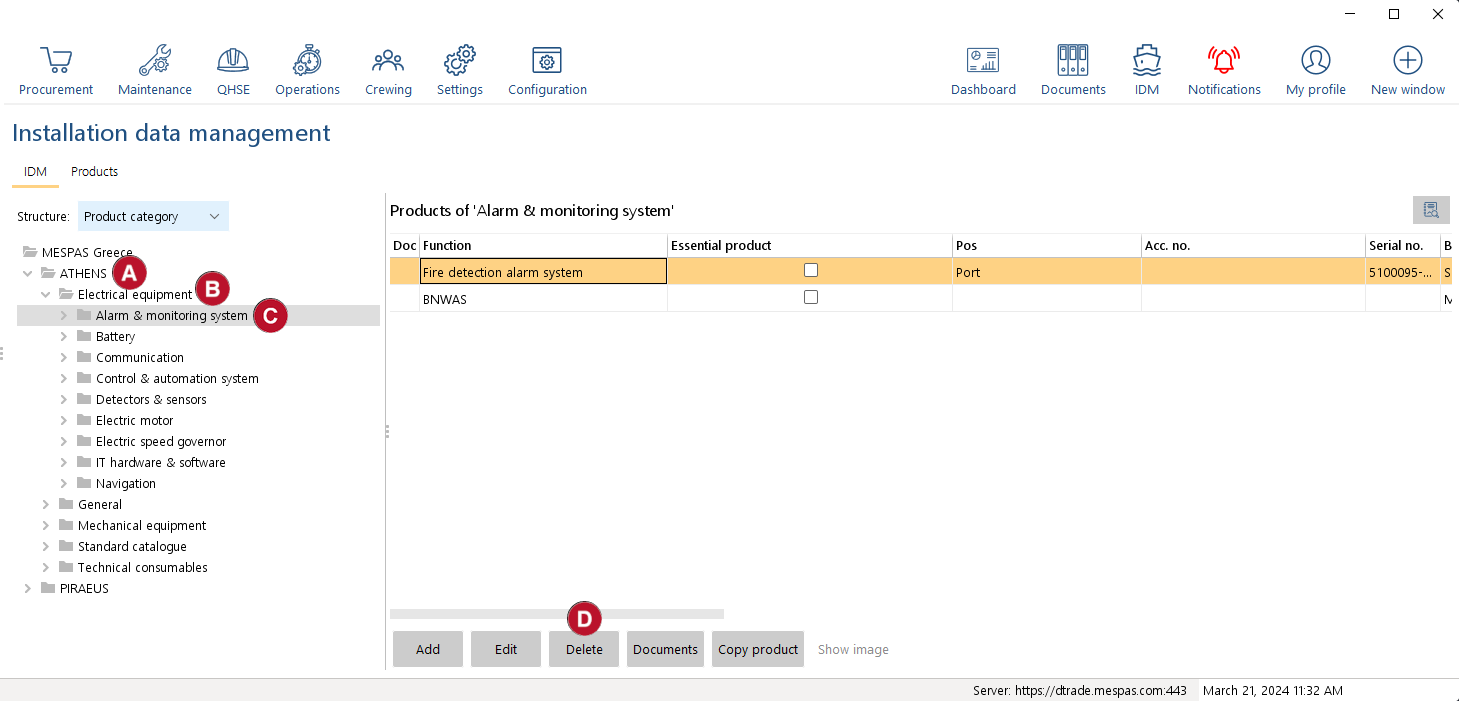
1.Go to "IDM". 2.In the tree, select the vessel  which contains the product that should be deleted. which contains the product that should be deleted. 3.In the tree, select the main category  which contains the product that should be deleted. which contains the product that should be deleted.
4.In the tree, select the product category  which contains the product that should be deleted. which contains the product that should be deleted.
5.To delete a product, select the product in the list and click "Delete".  You can only delete a product if there it has no related devices assigned to it You can only delete a product if there it has no related devices assigned to it
To delete a related device, select the product in the tree, then select the related device in the list and click "Delete". |