Procurement workbench

Top  Previous  Next

Go to menu "Procurement" > "Procurement"

procurement_workbench_1

ball_A_t Filter for procurement cases or procurement activities

ball_B_t Information summary about the case

ball_C_t Case activity log (who has done what, why and when)

ball_D_t Search and filter functionalities:

Procurement cases

Open activities (work to do depending on your role and vessel responsibilities)

Search (search with adaptive search criteria depending on the procurement object)

Order tracking (monitor, where the ordered material is currently located and when it is supposed to arrive at its destiny)

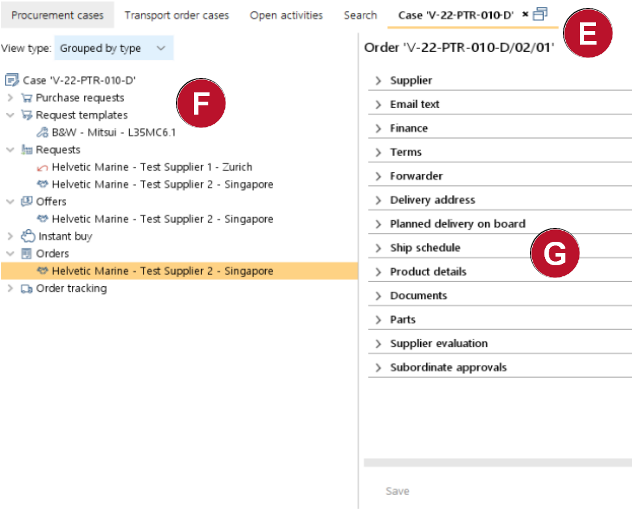
procurement_cae_detail

ball_E_t Detach functionality to enlarge the entire case tree

ball_F_t Case tree - All objects are listed (purchase requests, requests for offer, offers and orders)

ball_G_t Object details tabs - information regarding the selected object (details can be enlarged through double clicking)