 |
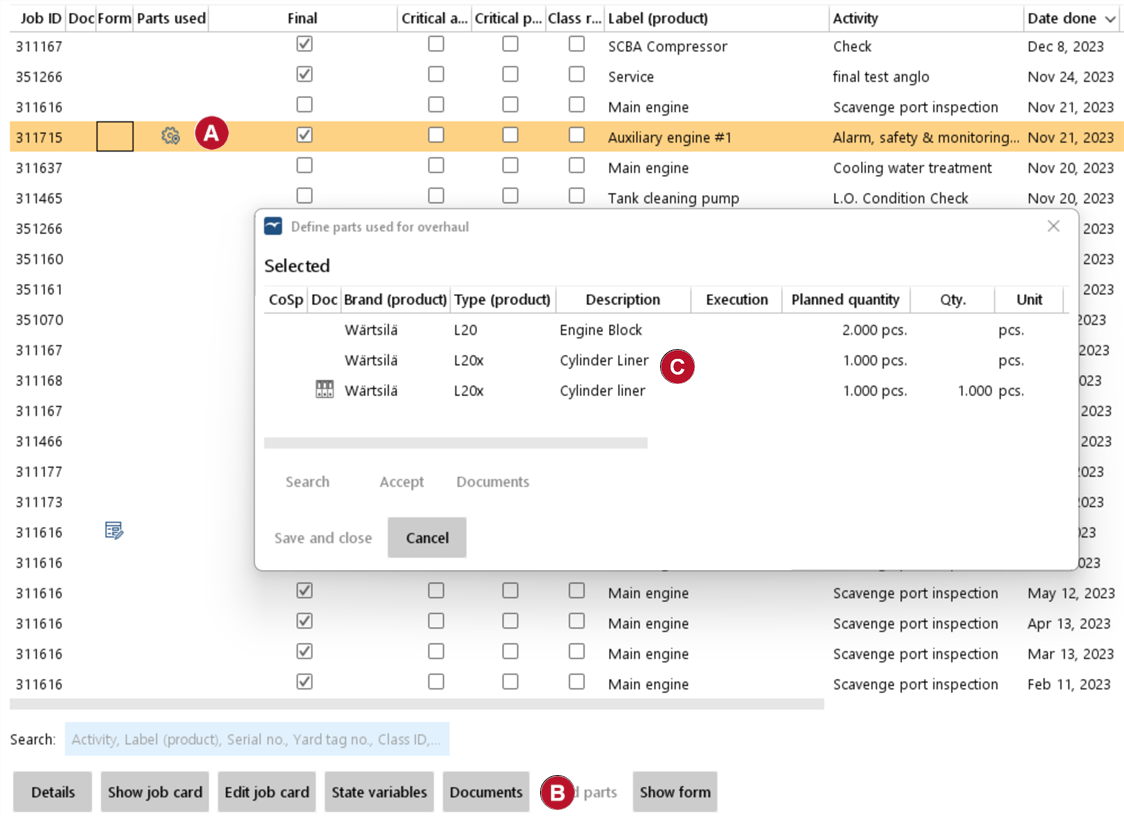
1.Go to "Maintenance" > "Job history" 2.The icon
3.Click on "Details". 4.Click on the button "Used parts"
5.You will be presented with the list of parts that were used for a particular job, as entered by the crew on the vessel |

 .
.

View parts used for jobs |
Top Previous Next |
|
|