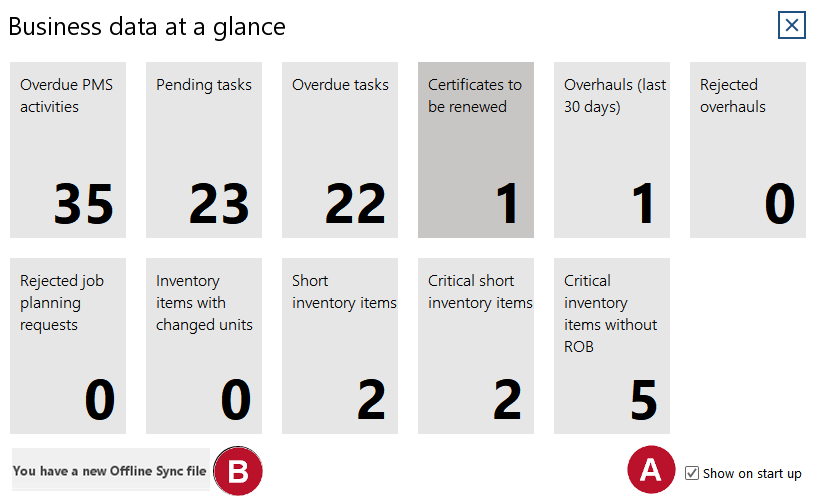
Business data at a glance is a small Report that shows you four important key performance indicators. By default it is shown every time you start-up the software. To access Business data at a glance your user login needs to have the respective right/role "Business data at a glance".
|
1.Click on "Settings" -> "Business data at a glance" or get Business data at a glance with every start-up of the software when the ticker "Show on start-up" is set. 2.Below key performance indicators are shown:
2.If there is a new offline synchronisation file a link to download it is displayed 3.To get more information about these indicators you may click on it's labels. You are directed to: •Job overview screen (filtered for overdue jobs or jobs with canceled pending job planning requests) •Job history screen (filtered for overhauls during the last 30 days) •Tasks screen (filtered for not finished or overdue tasks) •Documents screen (filtered for certificates to be renewed) •Stock overview screen (filtered for items that are short on stock, with changed units or items with ROB) |

