Much of the data needed for MRV and DCS is already collected if a vessel uses the Noon Report function of MESPAS Technical Ship Management. Therefore the Noon Report data may be used in order to minimize double data entry.
MRV data from Noon Report
1.Go to Operation -> Noon report administration
2.Select the fields that are applicable to be filled by the crew as described in chapter Manage noon report fields.
3.The fields that are relevant for MRV and DCS are marked on the screens Noon Report and Noon report administration in the column "DCS MRV ".
4. It is strongly recommended to define the fields used for MRV and DCS as mandatory. To do so, check the ticker in the column "Mandatory".
5.Click on Save.
MRV data from Forms
There are four forms that have to be filled:
1.IMO DCS & EU MRV Arrival at Berth Form, to be filled:
•When berthing directly form sea passage
•There is no need to fill in the arrival form during anchor stay
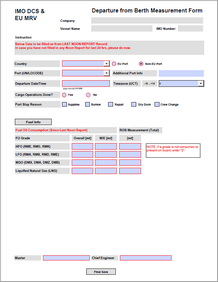
2.IMO DCS & EU MRV Departure Form, to be filled:
•When departing for sea passage
•Not to fill for movements within the port limits
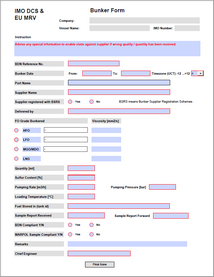
3.IMO DCS & EU MRV Bunkering Operation Form, always to be filled when bunkering fuel oil, regardless where the bunker operation takes place.
4.IMO DCS & EU MRV Ship to Ship Cargo Operation Form, to be filled when Cargo Operations between two vessels take place outside the port limits. Inside port limits cargo transfer does not have to be reported for MRV purpose.
Note: Arrival and Departure form are to be filled in all ports even outside EU. Like this your company is covered also for future IMO regulations in regard to emission monitoring.


Please contact support@mespas.com to get these forms and upload them as form templates as described in the chapter Manage Documents.