It may be necessary to replace physically a running hour counter on board. While there are counters that can be set to a specific start value, other RH counters just start at 0. In order to allow the integration of a counter that starts at 0, there is the possibility to enter an offset RH value. After having entered the current RH as offset value the crew just has to read and enter the RH shown on the counter and the system will do the calculation.
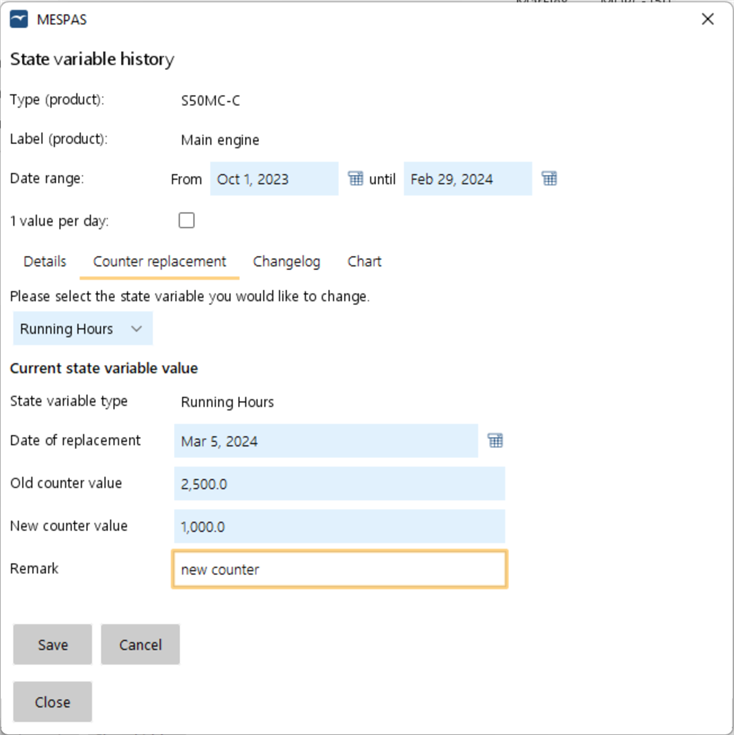 |
To set the offset value for a replaced RH counter, open the window "State variables" in the Running hours screen, the Jobs to do screen or the Job overview screen. 1.Click on the tab "Counter replacement". 2.Select "Running hours" as state variable. 3.Enter the date of replacement, the counter value of the replaced counter and the new (start-) value of your new RH counter. 4.Click on "Save" .
|


