List of historical executions of a job
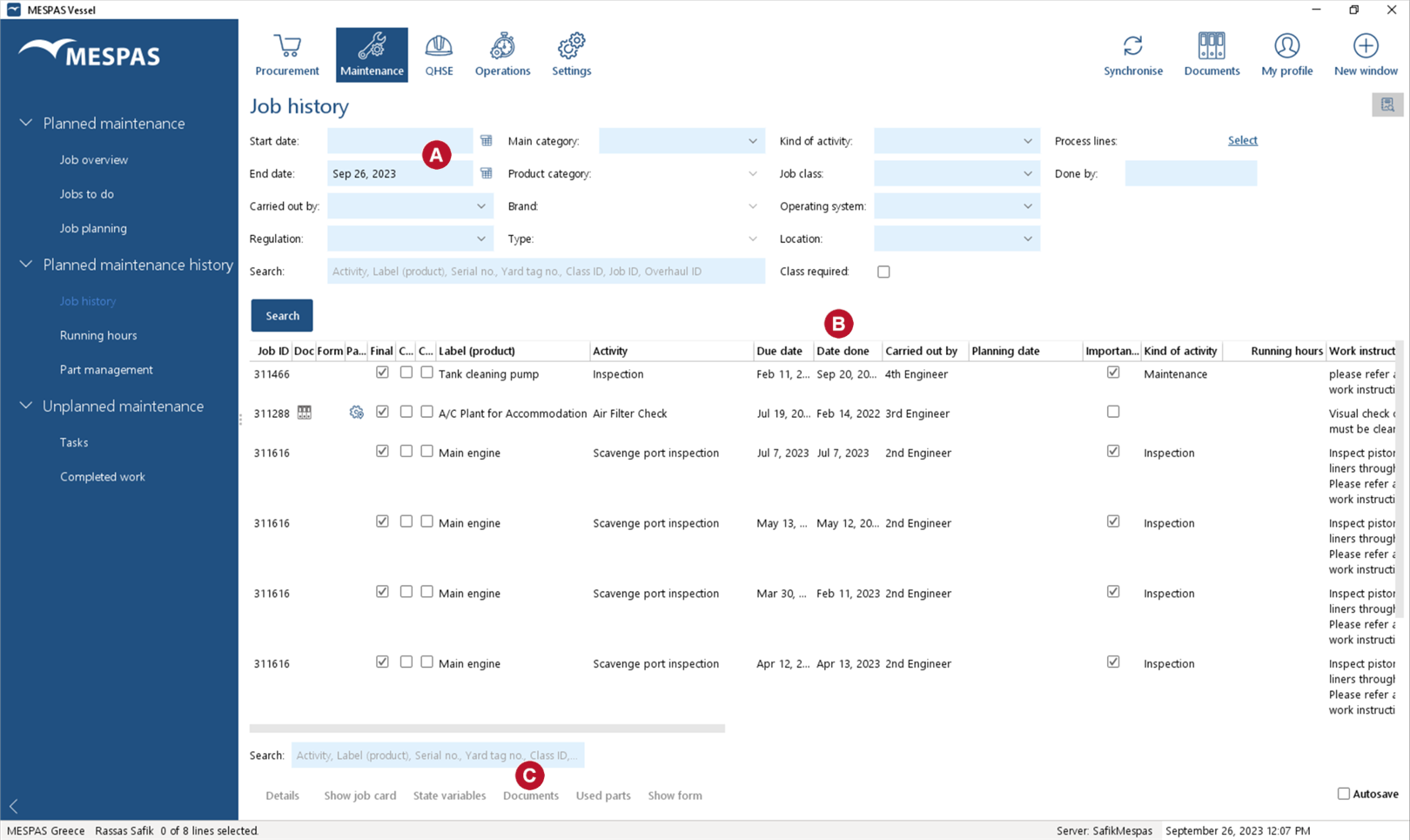 1.Go to menu "Maintenance" > "Job history". 2.Enter search data in the fields above the table. 3.Click "Search" . 4.You may now: •View job details by clicking "Details". •View the job card which was saved for documenting this job by clicking "Show job card". Documents attached to that job are opened in the same PDF file. You may also select several job cards and view them together in one PDF file. •Check the running hours history by clicking "State variables". •View/download/add/assign/edit/remove a job's documents (e.g. photos) by clicking "Documents". •Check the parts used for overhauls by clicking "Used parts". Click on "Search" to filter for specific parts. •View/assign/edit/remove a filled form or fill an empty form template and attach the form to the job. Please see "Attach forms to job records" for detailed instruction. |


