There are two possibilities where to add parts that were used for a job: While executing a job or later in the Job history screen.
While executing a job
|
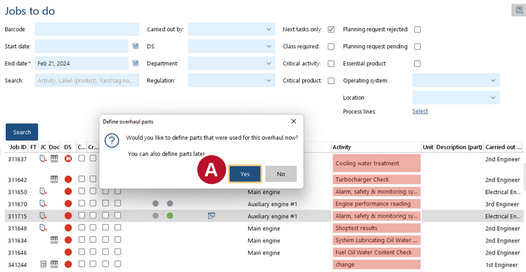
1.Go to "Maintenance" > "Jobs to do" or to "Maintenance" > "Job overview". 2.Execute a job. If the "Define parts" function is activated for the job,the window "Define overhaul parts" will appear. 3.To add parts, click "Yes". 4.Please continue with "add used parts to a job" below. |


In Job history screen
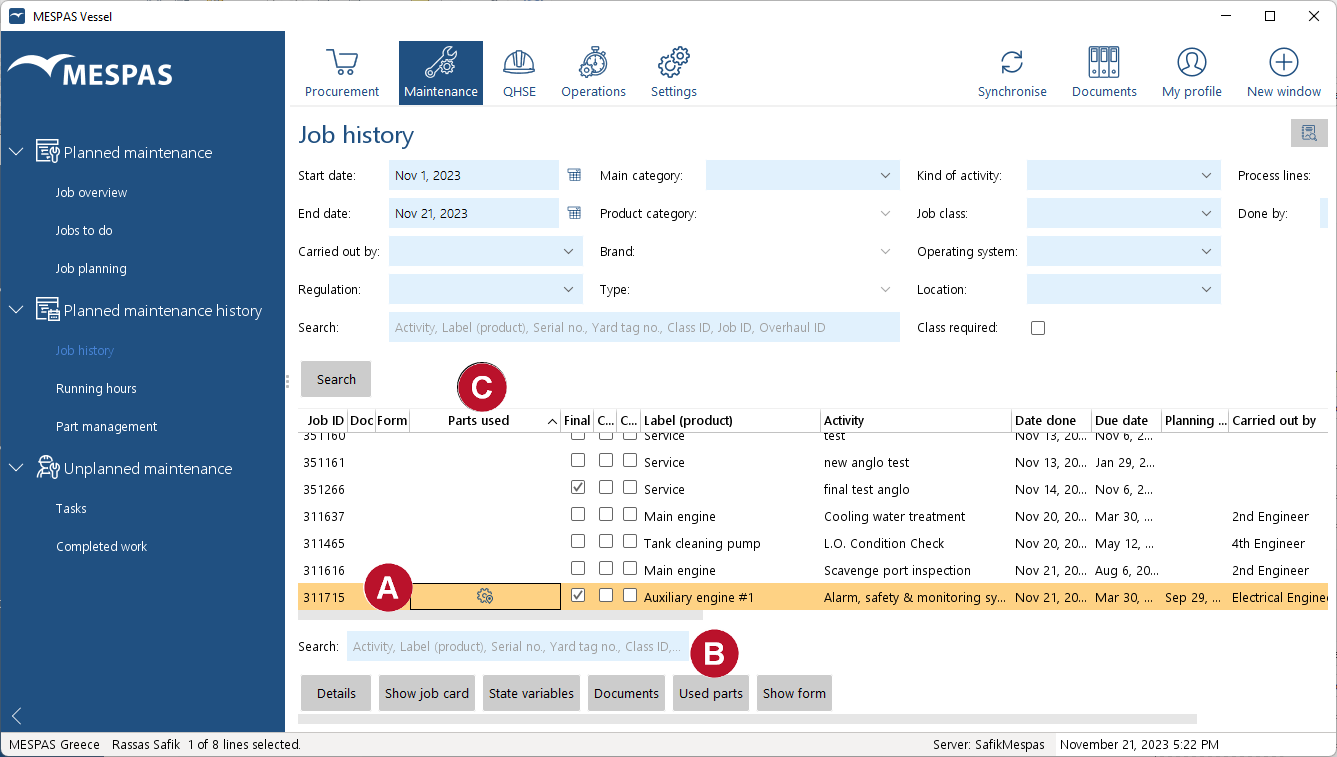 |
1.Select a job from the job history screen 2.Click the button "Used parts" . 3.Please continue with "Add used parts to a job" below.
|


|
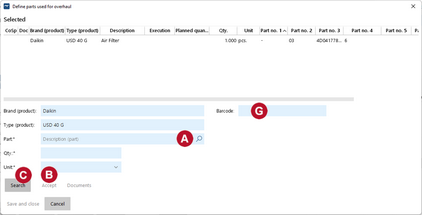
1.Now parts can be searched for and added. 2.Search for parts by writing the type or part name directly in the fields with the magnifying glasses
3.The parts get added to the list by pushing the "Accept" button. |
||
|
4.For a advanced search or if a part got used that is not in the system, push "Search" 5.Write a search term into the search field and push "Search" to get a list of search results. 6.Through entering a quantity 7.There may be already a list of parts defined by your office that is normally used for this type of job. Just adapt the quantity used. To remove a part from the list enter quantity 0. 8.If a part was used that is not in the system, press the button "New Part" to define the part.
|
||
|
9.Click on the button "Close Search" to get back to the list of parts you have entered. 10.If these parts are set in the system to be on stock, the button "Remove from stock" will become active to remove the quantity used for the job directly from the stock quantity. |


 and pushing the enter-key the item will be added to the list.