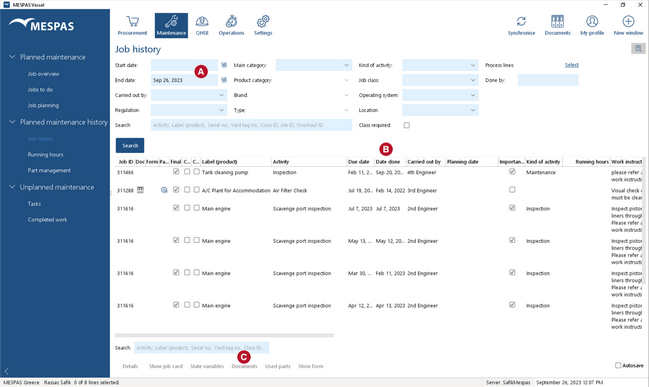
There are two possibilities where to add documents that were used for a job: While executing a job or later in the Job history screen.
|
|
While executing a job
|
1.Go to "Maintenance" > "Jobs to do" or to "Maintenance" > "Job overview". 2.Execute a job. After filling the job card and saving it a pop-up window will show with the options to Add and assign |
After executing a job
|
1.To add a document to an job-done, you first carry out the corresponding job. 2.Then you look up that specific job-done in Job history. 3.Select any job-done. 4.Click "Documents". 5.Follow the instructions at Manage document assignments. |
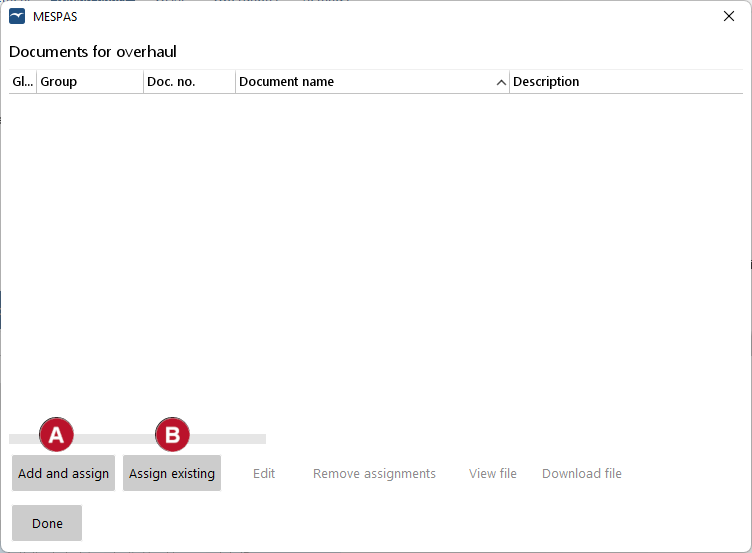
 or Assign existing