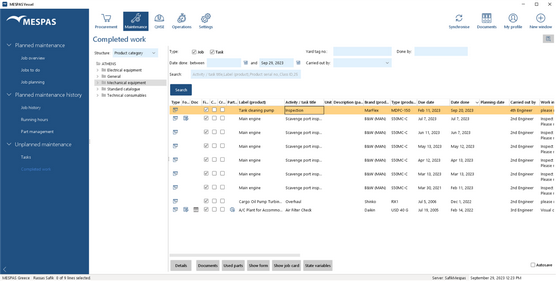
1.Go to menu "Maintenance" > "Completed work". 2.Enter search data in the fields above the table. 3.Click "Search". 4.The list of completed work displays jobs and tasks. The column "Type" indicates, whether it was a job  or task or task  . . 5.Depending on the type, you may now:
Job:
- View job details and used parts by clicking "Details".
- Add used parts by clicking on "Used parts".
- View the job card which was saved for documenting this job by clicking "Show job card".
- View/download/add/assign/edit/remove a job's documents (e.g. photos) by clicking "Documents".
Task:
- View task details by clicking "Details".
- View comments by clicking "Add / View comments".
- View/download/add/assign/edit/remove a task's document by clicking "Documents".
|