It may be that different editions of a product type have different parts. The applies ticker manages if a part applies to the respective product or not. You may also use it to remove global parts from your equipment, that you can not delete.
|
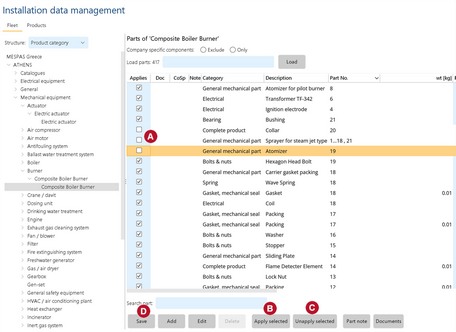
1.Go to "IDM", navigate to the product for which the applies ticker should be edited and load the parts as shown above in Add or edit parts to product. 2.You add or remove single parts to a product directly in the column "Applies" by setting or removing the ticker. 3.If you want to add or remove several parts or if you want to add or remove parts on several products, select the parts in the list. 4.To apply all selected parts click "Apply selected".
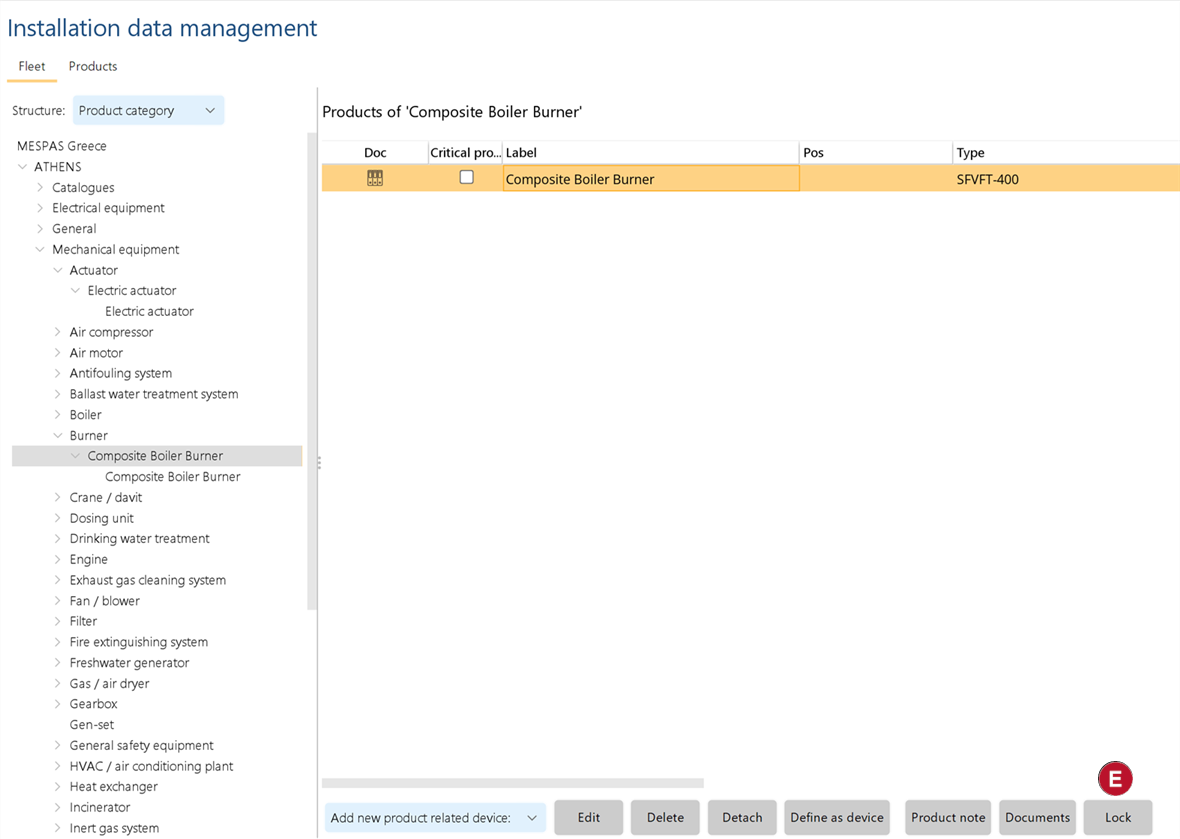
5. After applying or unapplying parts you can lock product to avoid that any unauthorized users are doing changes or adding new item |


|
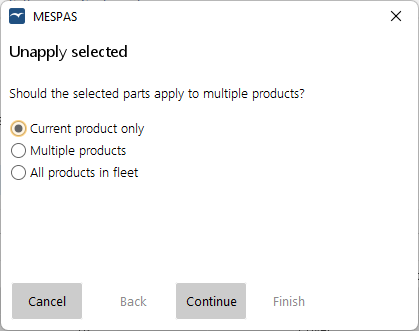
5.A window pops up to ask you if you want to apply/unapply the selected parts on the current product only or on multiple products or on all products of that type in your fleet. 6.If you want to apply/unapply the parts on the current product only or on all products of that type select this alternative, click on "Continue" and on "Finish. Then click on "Save" 7.If you want to apply/unapply the parts on multiple products select this alternative and click on "Continue"
|

|
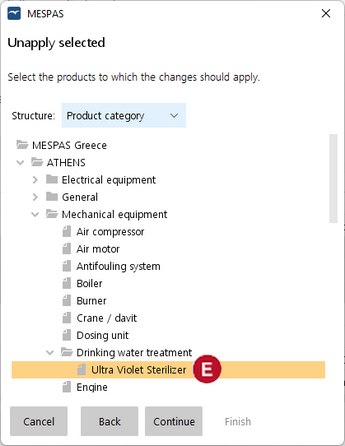
8.Select all products in your fleet where you want to apply/unapply the parts while holding down the Control-Key (Ctrl)
9.Click on "Continue" 10. The dialogue shows now the number of parts and number of products where the changes are to be done. Check if it is correct and click on "Finish". Then click on "Save".
|