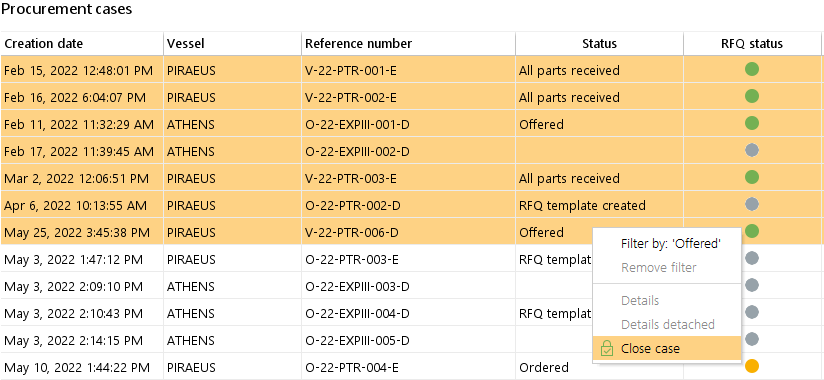
The function "close case" is the quickest way to bring all open activities to an end. It closes pending requests and offers or deletes pending orders, which have not been sent. Closed cases are not shown by default in the procurement, but you can find them in the search screen.
 |
 |
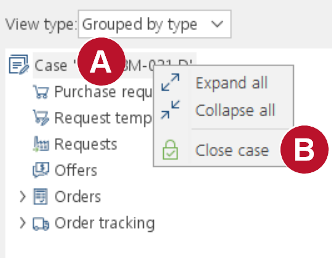
Go to menu "Procurement" > "Procurement". 1.Select any open procurement case. 2.Right click on the top level in the case tree. 3.Select Close Case.
4.It is not possible to close a case...
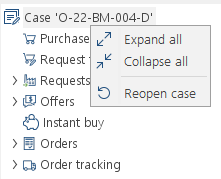
5.Re-open a closed case if you have closed a Case by mistake you may re-open it at any time. |
||
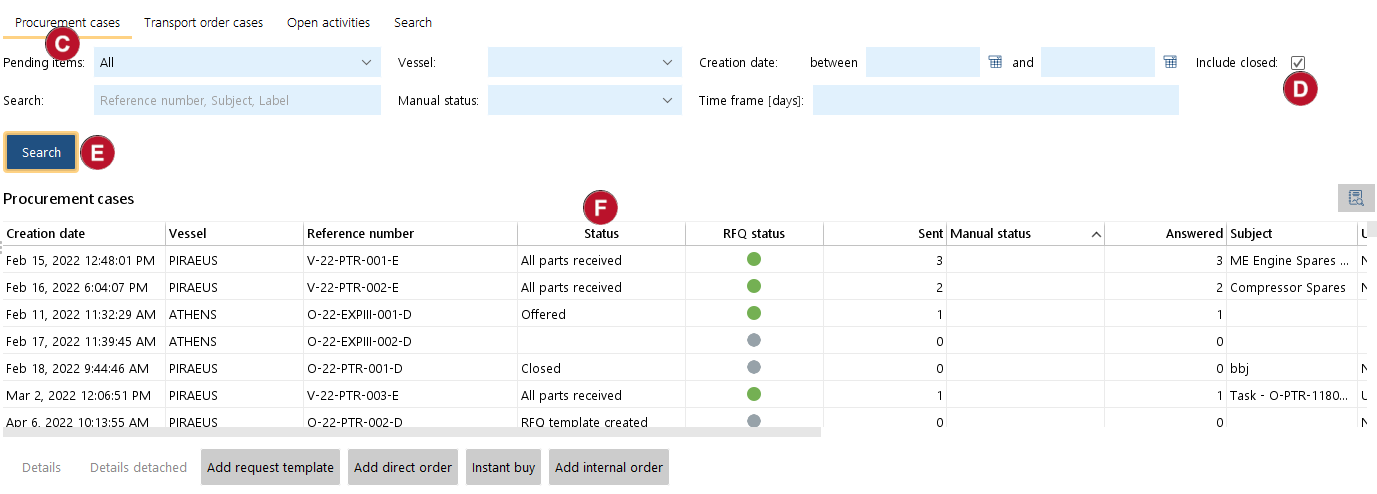
Closed cases 5.To find a closed case go to the search window on the tab "Procurement cases". 6.Enter your filter and search terms and set the ticker at "Include closed". 7.Click on 8.All closed cases are marked in the column "Closed".
 |
||||
Close multiple cases at once
|
1.Select any procurement cases in the Procurement case overview. 2.Right-click on the selection 3.Chose "Close case" |
|||
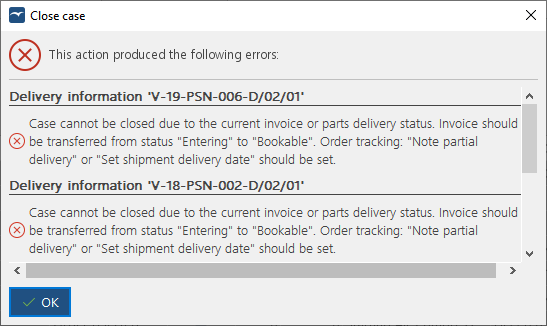 |
1.A confirmation screen appears where you can enter a remark for the case-log before closing (e.g "Closing due to vessel is sold to new owner"). 2.Click "Ok" 3.The system now closes all cases but the ones not possible. An information screen will tell you why the cases could not be closed (see the rules above). |
|||