Once orders are placed in MESPAS, they are delivered not directly to your ships or port agents but to some warehouses all over the world. In order to organize the pickup of orders stored in warehouses MESPAS offers the option of creating a "Transport order". Wit a transport order you may combine several orders for a single ship and a dedicated forwarder to be forwarded to the ships. In case you would like to have this activated, please contact support@mespas.com |
|
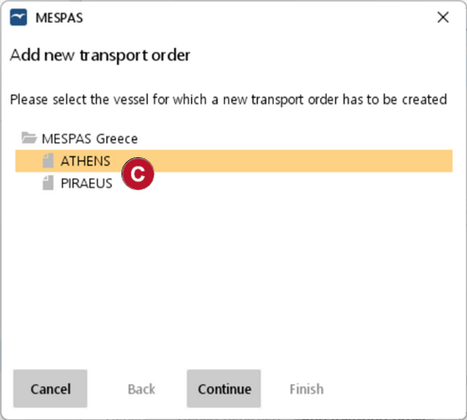
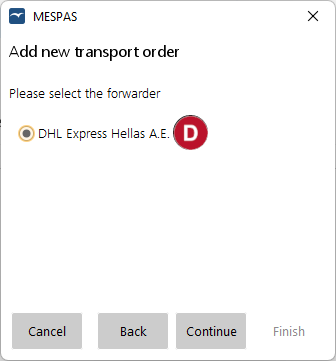
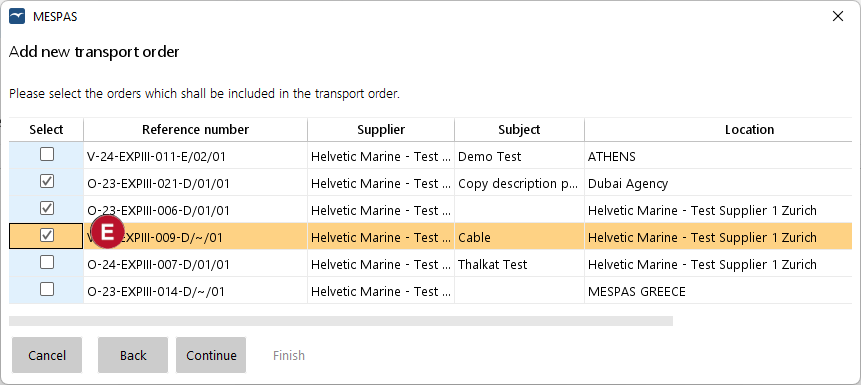
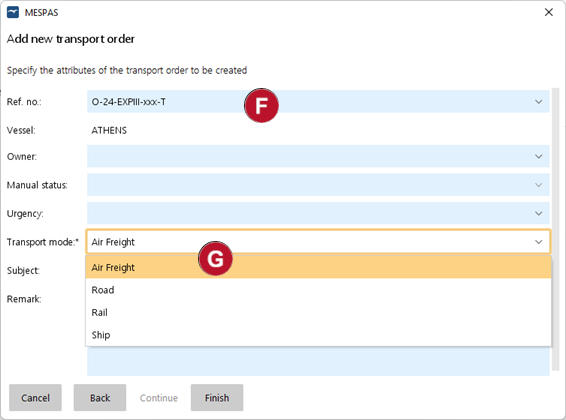
1.Go to menu "Procurement" > "Transport order cases" 2.Click "Add transport order" 3.Select your vessel and click on "Continue" 4.And then select your Forwarder company and click "Continue" 5.in the following screen all orders are presented that are located in a Warehouse that is allocated to the Forwarder you have selected. Select the orders you would like to have included in the transport order NOTE: Please contact support@mespaws.com to establish the allocation of forwarder to warehouse relationship for your company. 6.Finally you will be brought to the screen where the reference number is created. The reference numbers for transport orders contain a suffix "-T" |
|
|
|
|
|
|
|
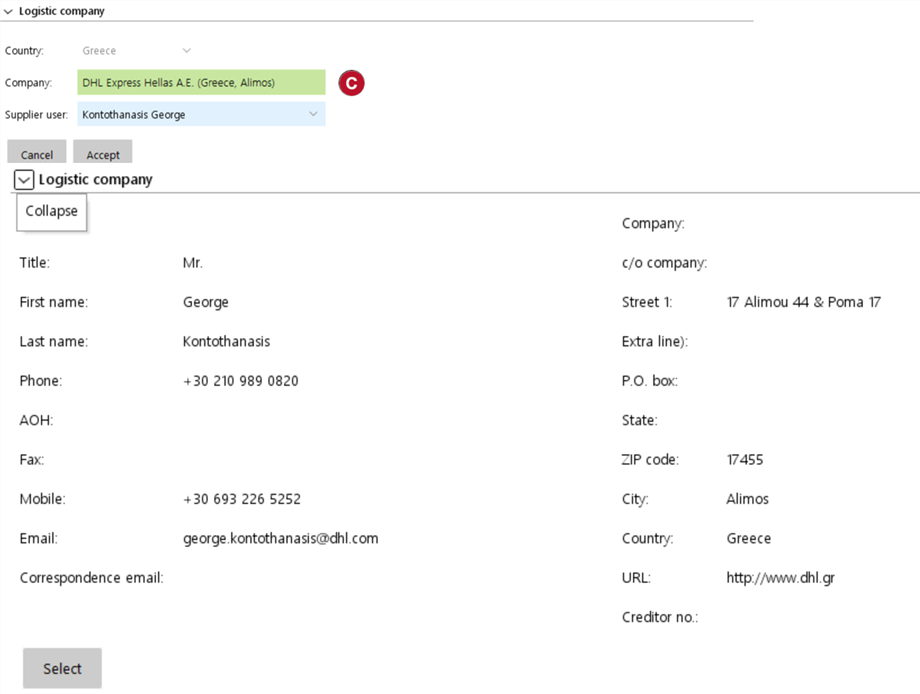
Case detail view of a Transport order 1.A transport order case contains the same elements as a direct order. However, instead of the "Supplier" and the "Parts" section there is "Logistic company" Also the work flow is slightly different compared to the direct order. You may send the transport order without any price filled to the supplier. Once you get the prices from the supplier you can update the transport order with the prices and mark it as "Price received" |
|
2.The entry in the "Logistic company" is automatically generated 3.In the "orders" section you can see all the order records previously selected while creating the transport order case. Several options in this screen are now further explained a.In the field "Reference number" b.By clicking "Accept" c.In case you need to remove an order from the list you can do that by selecting this row and clicking "Remove" d.in case you already have the quote from the Forwarder you may enter the prices in the fields defined in section |
|
|
|
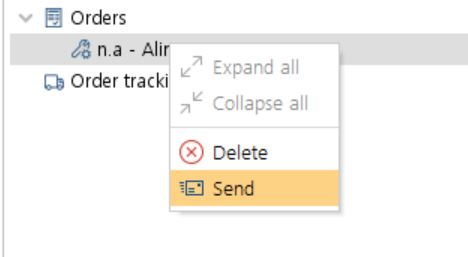
Send the order or Delete it
|
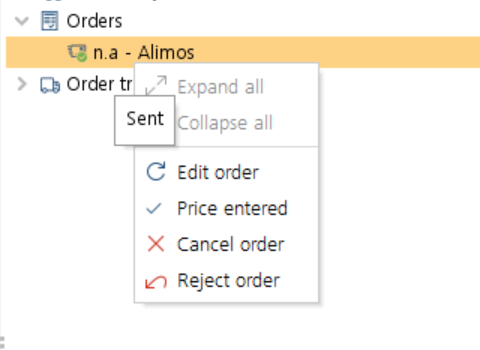
After sending of the order you many enter the price received from the supplier. Use the action "Record cost" to continue to next step. At this stage you could still cancel or reject (on behalf of the forwarder company) the transport order
NOTE: you still can add/remove purchase orders to a transport order even after sending the Transport order to the forwarder. Only if the transport order is confirmed, you cannot modify order items. |
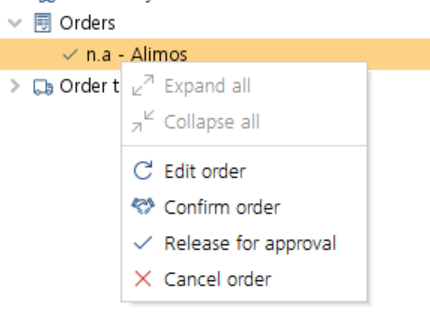
The transport order will also undergo the approval steps as any other order in MESPAS. As a purchaser you can use "Release for Approval" or if you have the right to do so you may also directly use "Confirm order" action.
|
At any stage you are still in the position to cancel the order. in MESPAS
|
 .
.