|
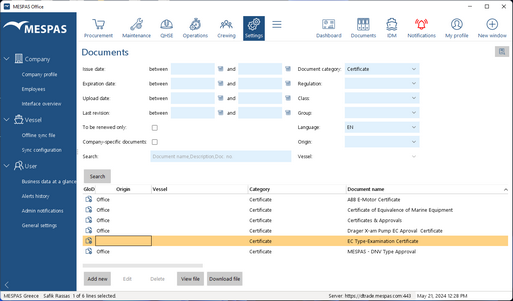
Go to "Documents".
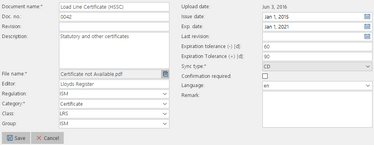
•To add a new document click "Add new" and specify details/information about the document as well as the settings. (see below) •To edit a document, select the document, click "Edit", edit the details/information about it and settings and click "Save". •To delete a document, select the document and click "Delete". (you can not delete global documents). •To view a document, select the document and click "View". •To download a document, select the document and click "Download".
|
||||||||||||||
|
|||||||||||||||
Document information and settings
|
|
||||||||||
|
|||||||||||