|
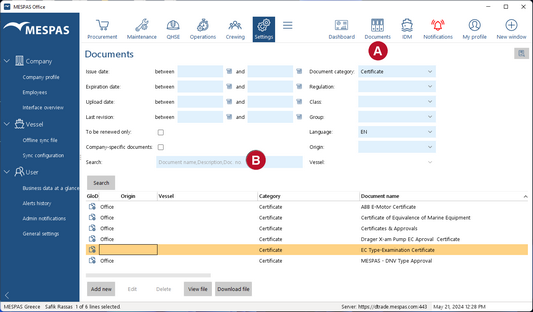
Go to menu "Documents " •The (free text) search field If you search with several words, use quotation marks (" " ) to find exact matches. Example: Search for piston rod will find all entries with piston and/or rod. Search for "piston rod" will only find entries with those two words in this order. •"To be renewed only" shows documents that are expired. •Certificates that are "to be renewed" are highlighted red. •"Company-specific documents" shows documents that were uploaded in your company (in contrast to global documents). •With "Origin" you may filter for documents that were uploaded in your office, on a vessel or by a supplier. •You may filter documents uploaded by a vessel by its vessel name.
|