|
1.Go to menu "Crewing > Crew management". 2.Select a seafarer's name in the data tree. 3.Click on a vessel name in the calendar 4.You may now edit the corresponding seafarer's crew allocation and click "Save". |
Manage crew allocation by seaman |
Top Previous Next |
|
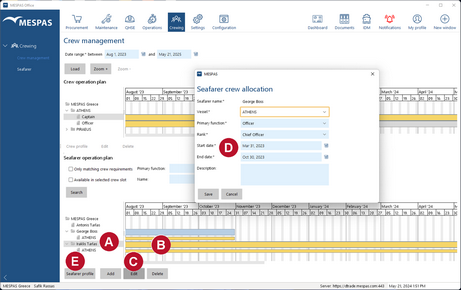

 and click "Edit"
  .
.
