|
1.Go to menu "Crewing > Crew management". 2.Specify search options 3.Allocate seamen to vessel crews. (See Manage crew allocation by seaman) |
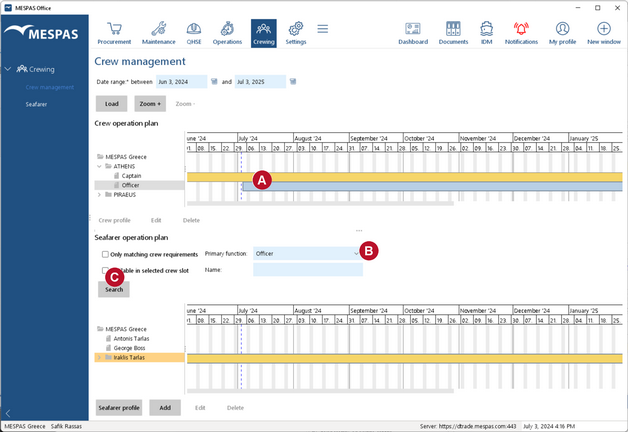


Search options
You can... |
...by doing this: |
Search for seamen who are available within a certain crew (time) slot. |
1.Select a crew slot in the crew operation plan. 2.Check "Available in selected crew slot". |
Search for seamen who match the rank required by the primary function specified for the corresponding vessel crew. |
Check "Only matching crew requirements". |
Search for seamen who match a certain primary function. |
Select a primary function from the drop-down field "Primary Function". |
Search for seamen by name. |
Enter part of a seaman's name in the field "Name". |
