|
1.Go to menu "Crewing > Crew management". 2.Specify the date until which you want to monitor crew operation plans starting from current month and click "Load". 3.Select a vessel in the data tree. 4.Expand the vessel. 5.Select a primary function for a vessel in the data tree. 6.Click on a seafarer's name in the calendar 7.You may now edit the corresponding seaman's crew allocation and click "Save". |
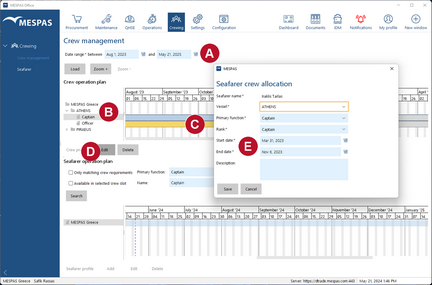


 and click "Edit"
  .
.