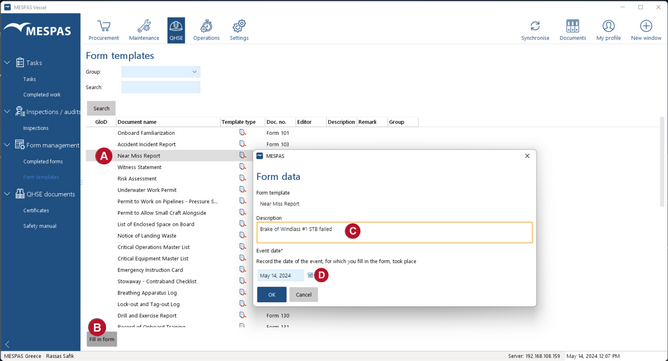
1.Go to menu "QHSE" > Form Templates".
2.Select a form template and click "Fill in form" .
3.In the description field , describe the reason for filling it, pick the date of event/incident and click "OK".
4.Fill in the form.
5.Close the form: - click "Temporary Save" to be able to re-edit the form later or - click "Final Save" to close the form definitively.
 and click "Fill in form"
  .
. , describe the reason for filling it, pick the date of event/incident