|
1.Go to "IDM" 2.select the tab "Products" 3.In the filter area,fill in the necessary info you like to search for
4.When selecting a product, you can view the details, the related documents and the product type image (if available) |
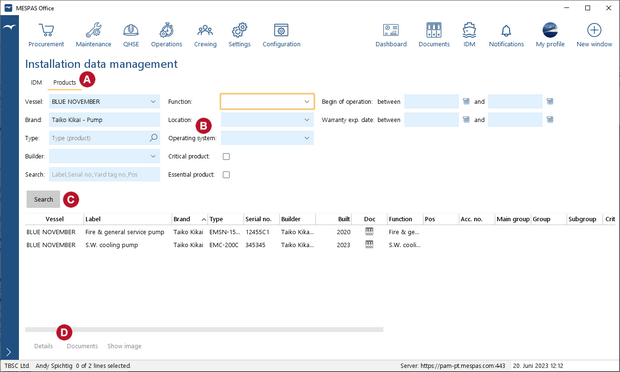


Search product in IDM |
Top Previous Next |
|