You may want the crew prior to carry out certain activites to prepare a form to be filled in first before the job can be executed.
This could be the case for risk assessments, hot work permit, work orders, etc.
To do so, a PDF form template previously loaded in the DMS as category "Form template" can be assigned to any PMS setting. This form then needs to be filled by the crew before they are allowed to
report the actual PMS activity.
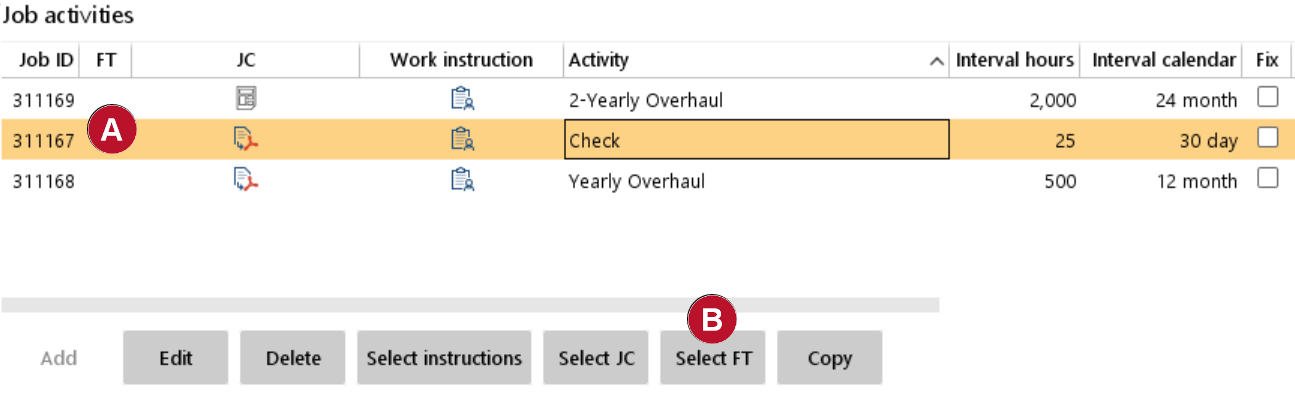 |
1.Go to "Maintenance" > "Job activities fleet" and select a maintenance activity. 2.To see if there is already a form template Check icon in column "FT"
3.You can click on "Select FT" button to select the predefined form template |
|
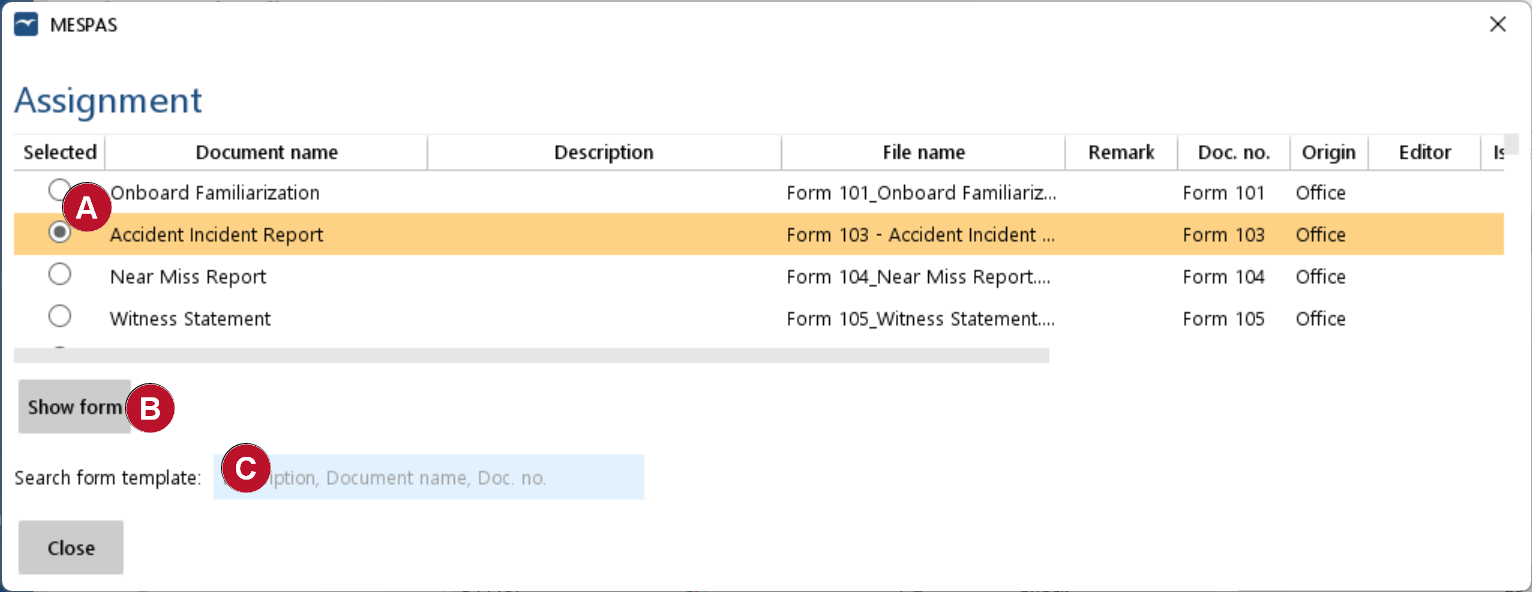
3.Now you either select the form template needed by "Selection". This Radio button can be selected and unselected NOTE: you can only select one form for each PMS setting.
4.By clicking "Show form" you get a preview of the form template to see if the correct form is available
5.There is also an additional search filter field "Search form template" in case you have a long list of forms templates available to easily find the correct one
6.You then can click "Close" button and the form will be assigned to the PMS setting. |
 .
. .
.