Internal order

Top  Previous  Next

An internal order undergoes the very same internal processes as the direct order. It can be started from the office only. The difference to the direct order is that it is NOT sent to the supplier and cannot be confirmed or rejected by the supplier.

Start an internal order

InternalOrderStart

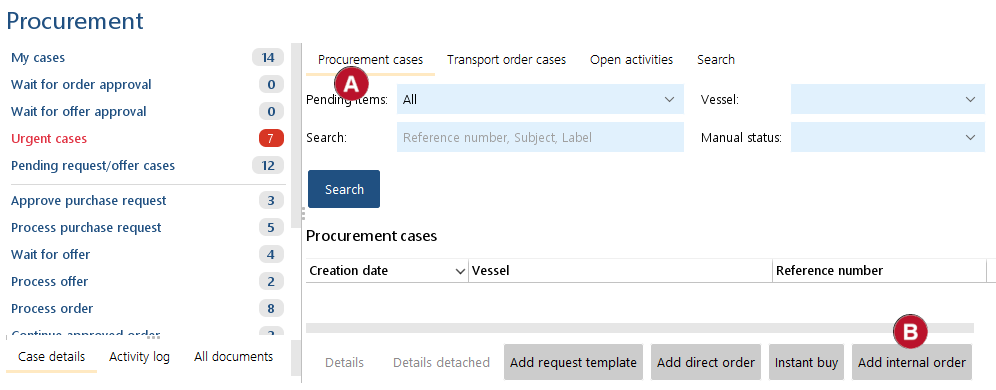
1.Go to "Procurement cases" ball_A_t.

2.Click on "Add internal order" ball_B_t.

InternalOrderCommit

2.Now you follow the procedure as for Direct order

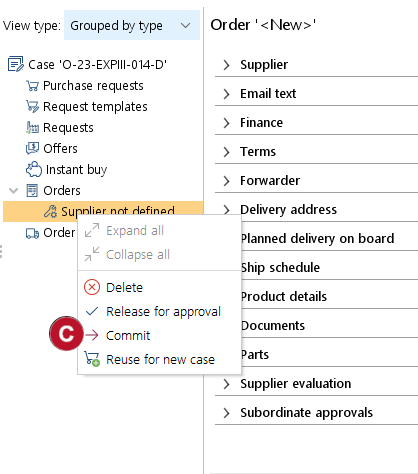
3.At the stage when you have completed the preparation of the order you can Commit ball_C_m the order. You cannot send it as it will be not transferred to the supplier.

4.The vessel can see now the internal order.