Instant buy

Top  Previous  Next

The "Instant buy" function enables you to immediately place an order with having item price indications available without asking each suppliers for quotations. To achieve this, the systems collects price information from various sources within the procurement history of your organization and the entire MESPAS community. With this powerful option you can reduce the time spent used by the request/quotation process. This will lead to a much more efficient procurement process.

Add instant buy from procurement workbench

1.Go to "Procurement" -> "Procurement case" tab and press "Instant buy" action button. Alternatively, you can start the instant buy process from an approved PR with a right mouse-click ball_A_t.

InstantBuyStart

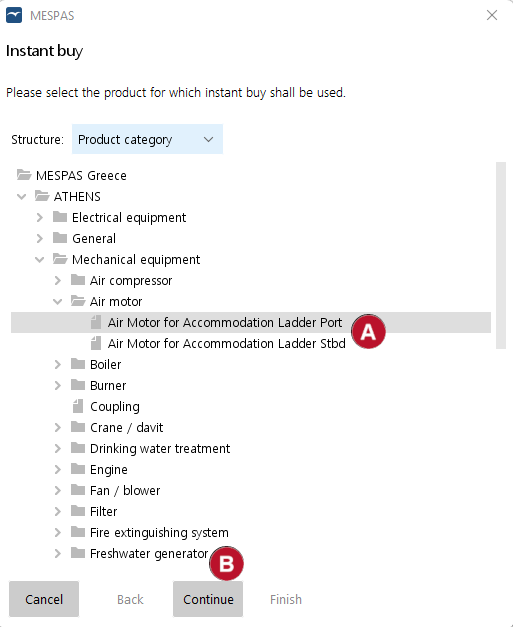
2.Select the product ball_A_t for which you want to create an instant buy case and click "Continue" ball_B_t. Complete the case creation process as usual.

3.You will be brought to the procurement workbench and you can see the created case "O-23-EXPIII-011-D" with an entry under "Instant buy" folder ball_C_m.

InstantBuyProductPicker
InstantBuyCaseView

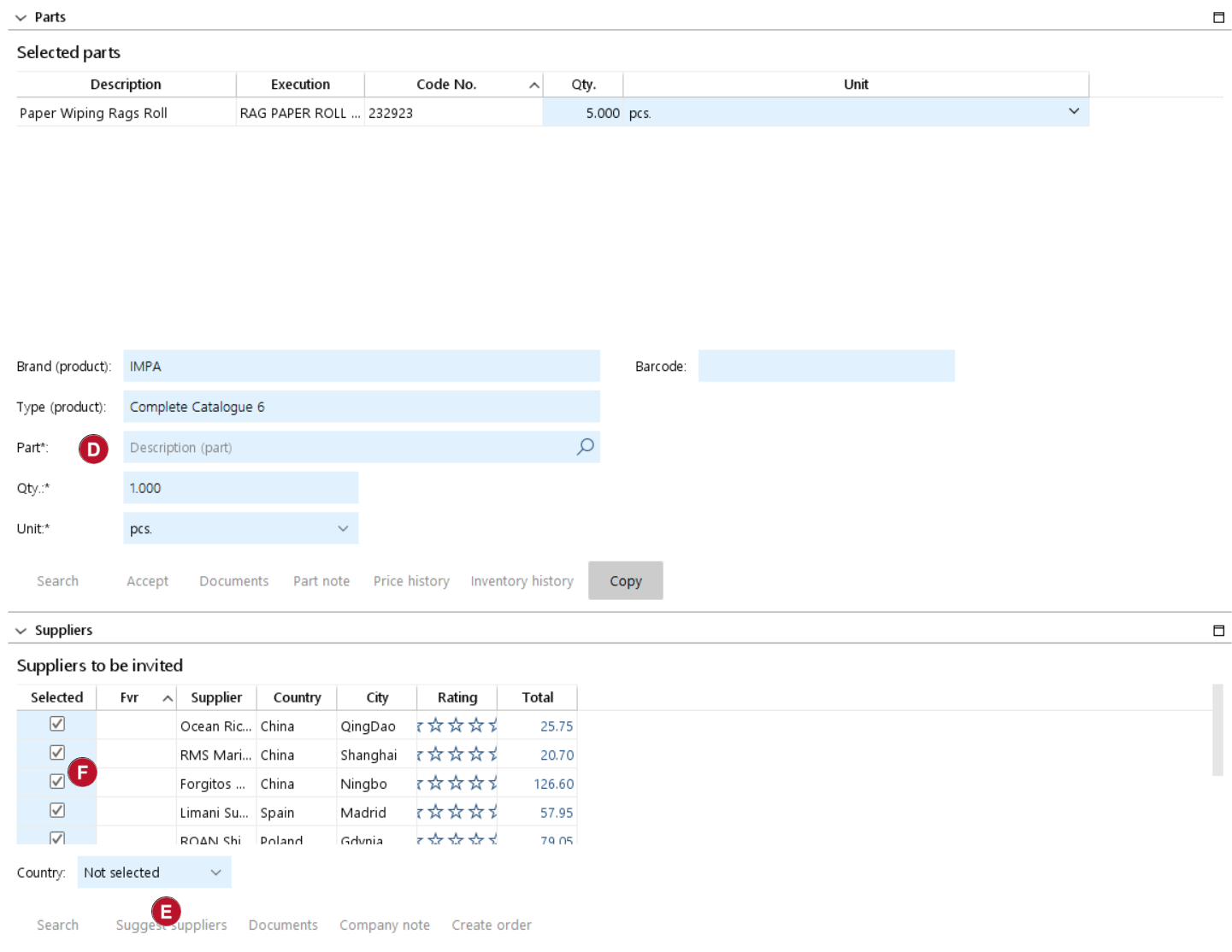
4.On the right side you have now access to the parts section. You may select the required parts manually ball_D_t or you have them listed already from the purchase request from the vessel.

5.Once the parts you need are defined you can press "Suggest supplier"ball_E_t. This will list all suppliers that have offered for the selected products or have received an order for the same within the last 150 days. In addition you can see if the suppliers are among your favorites, the online quotation rate in MESPAS SBM and the supplier rating to allow to pick the ones you want to orderball_F_t.

InstantBuyParts

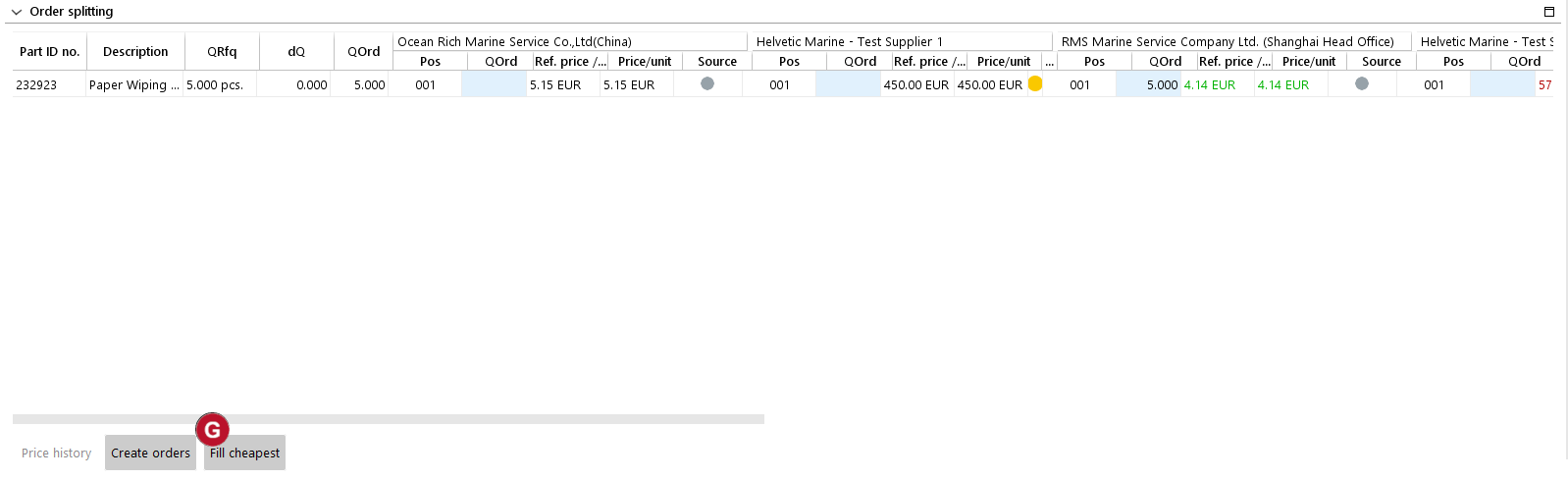
6.In the  below "Order splitting" section you can see now the price indications of the above selected suppliers.

InstantBuyOrderSplit

Green

Price indication from my orders

This is the average price from orders placed by your organisation within the last 150 days.

Yellow

Price indication from my received offers

This is the average price from offers received by your organisation within the last 150 days.

Blue

Price indication from global orders

This is the average price from orders placed by the MESPAS buyer community within the last 150 days.

Grey

Price indication from global offers

This is the average price from offers received by the MESPAS buyer community within the last 150 days.

Red

No price available

There is not any offer nor an order available in the MESPAS system within the last 150 days.

7.You can pick now the most suitable suppliers with their prices and use the option "Fill cheapest" and "Create orders" to continue with regular order process ball_G_t.