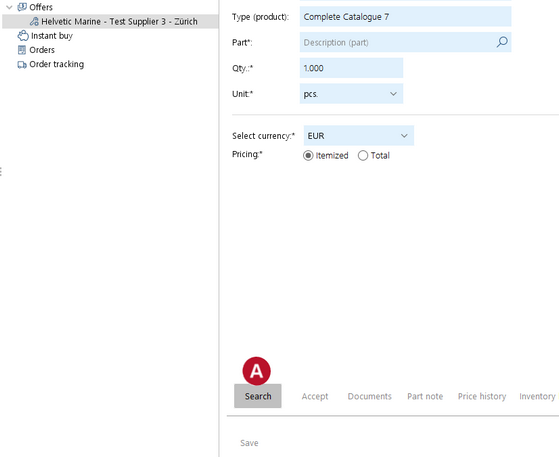
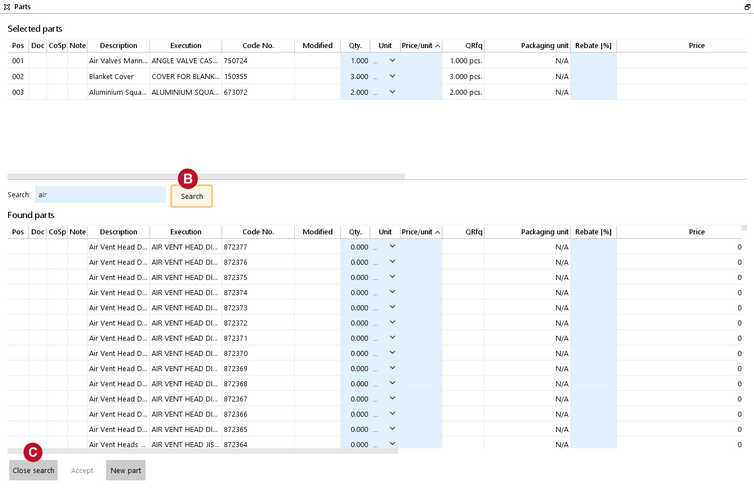
When creating an offer, there is the possibility to add additional offer items in order to quote for parts which have not been requested.
|
Add additional parts to an offer |
Top Previous Next |
|
When creating an offer, there is the possibility to add additional offer items in order to quote for parts which have not been requested.
|