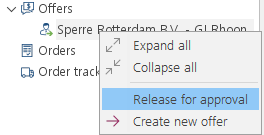
After releasing of an offer:
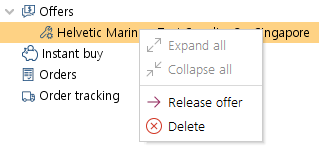
1.You may also create a new offer and the released one will be replaced. Use "Create new offer" action for this. 2.If your company has applied the offer approval step, then you have to use "Release for approval" action.
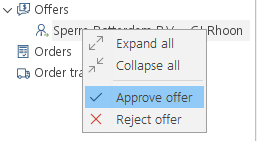
3.Those offers can be found using the filter "Prepare for approval". 4.the Filter "Approve offer" leads you to the list of offers to be approved by superintendent. 5.Superintendent can then "Approve or "Reject" the offer.
•While approving, the superintendent can also change the quantity of items to a higher or lower numbers using column QOApp  (Quantity Offer Approved). •The reference column "Qty" offered  is always visible for comparison.
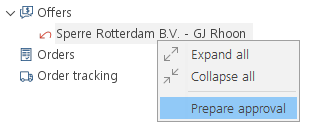
6.In case an offer is rejected by the superintendent, the purchaser can continue and change the offer using "Prepare Approval"...
7.... to then use the function "Create new offer" to work on the same and prepare for next approval.
|


 .

 .


 .