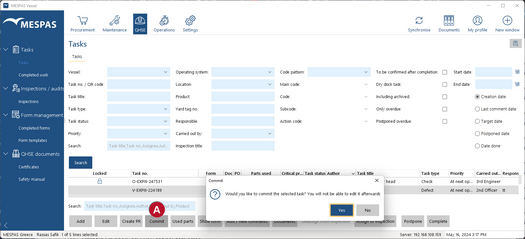
The ownership and ability to edit a task that was created on the vessel can be transferred to the office.
|
1.Go to menu "QHSE" > "Tasks". 2.Select a task that shall be edited in the office. 3.Click "Commit" 4.Confirm with "Yes". You will not be able to edit the task on the vessel anymore and it will be marked with a lock icon. |