|
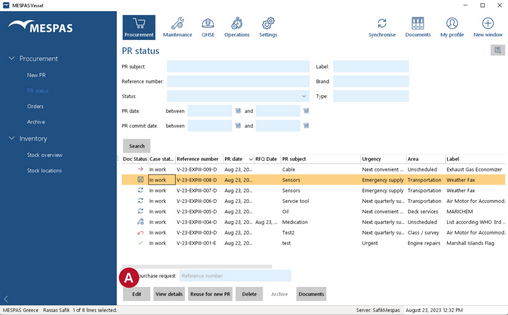
Go to menu "Procurement" > "PR status" or click on the respective icon
You may search for a purchase request by using the search and filter fields
You may use * (asterisk) in the search fields. It is used as wild card character and stands for any string of characters. A search for "*for engine*" in PR Subject will find "Parts for engine" as well as "Shelf for engine room". |
||||||||||||||||||||||||||||||||||||||||||||||||||||||
Purchase Request states
PR Detail states
|
Besides the purchase request states indicated with the icons in the left side table, there are also the procurement case states "in work" and "closed" shown in a separate column.
The office may send a request for quotation or order just for some of the items requested by the vessel. To check the PR Status on part level click on "View details". |