|
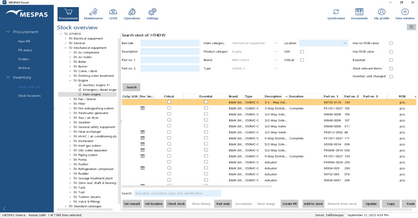
1.In Stock overview, select a product type in the tree and click on "Search". 2.Select a part in the list. 3.Click "Add to Stock..." or "Remove from Stock...". 4.Enter the quantity that is added or removed and a reason for the change. 5.Click "OK". The ROB (quantity remaining on board) is adjusted and the reason for change is visible in the column "Remark".
|