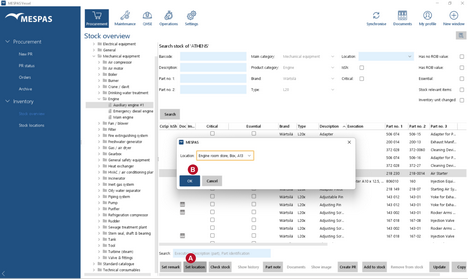
To be able to assign parts to locations your user must have the user role "offshore-store-keeper".
|
1.Go to menu "Procurement" > "Stock overview". 2.Select a product type in the tree. 3.Select a part in the list. 4.Click "Set location". 5.Assign the location and click "OK".
Make sure to have set up available stock/inventory locations! |