 |
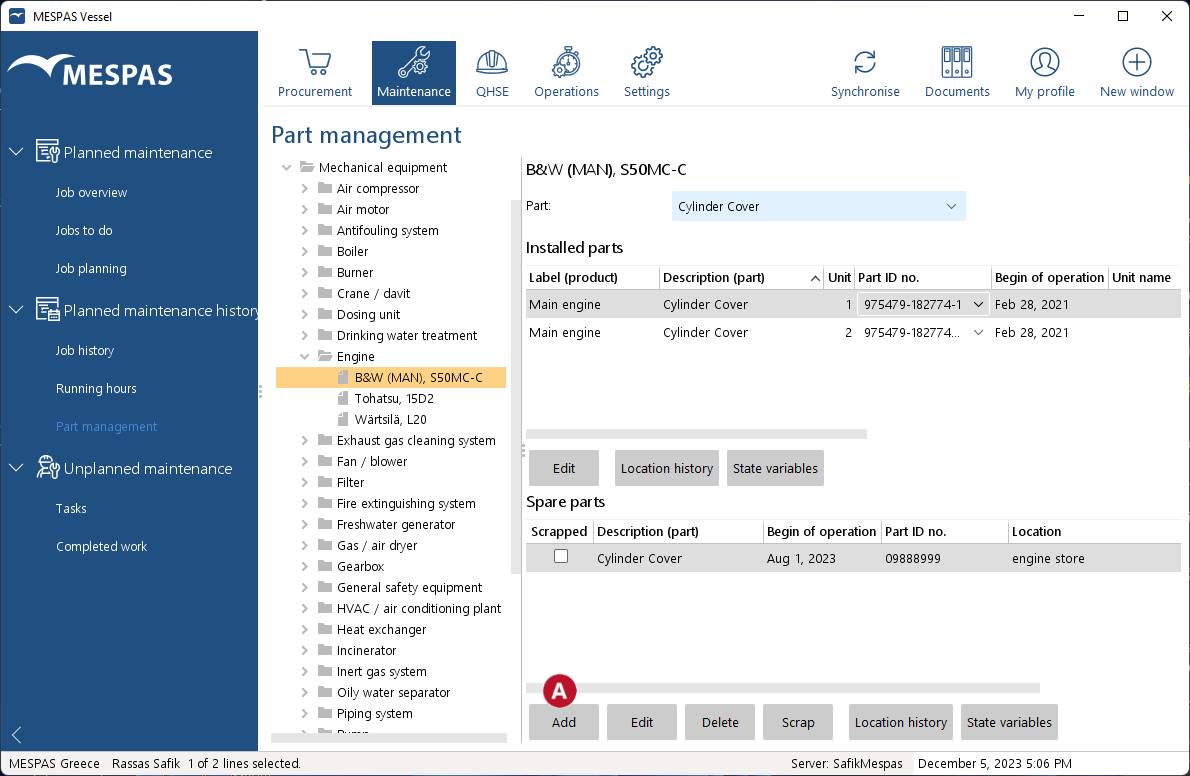
Add an instance 2.To add a new instance of a part to the spare parts list, click "Add" or "Edit" |
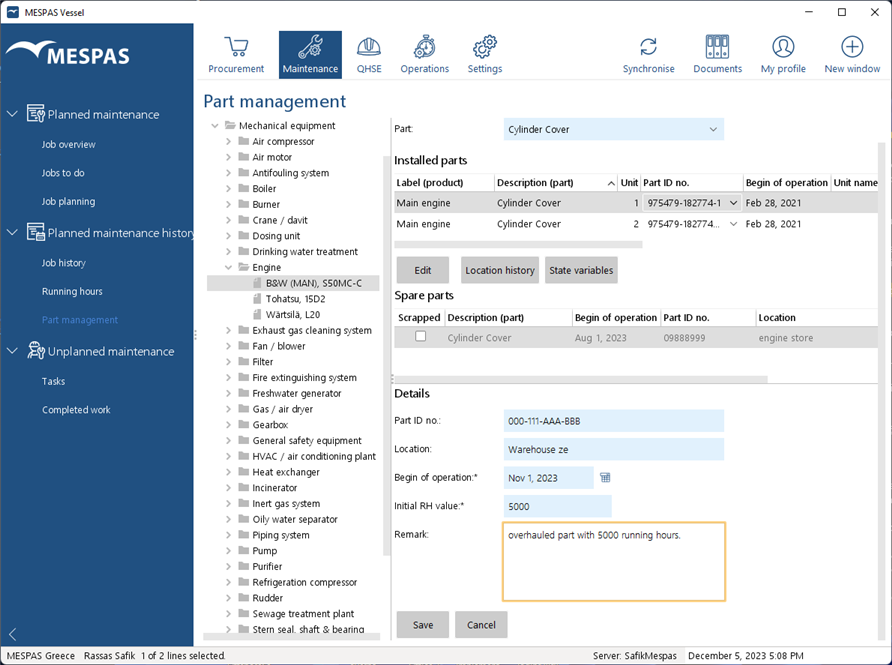 |
3.Fill in or edit the •part no., •location, •begin of operation (only when adding an instance), •initial running hour value (only when adding an instance), •remark.
The initial running hour value has to correspond to the begin of operation date! The begin of operation and initial running hours can only be set when adding a part. This is to ensure a correct due date calculation for the jobs. 4.Click "Save". |
