Go to menu "Procurement" > "Procurement". 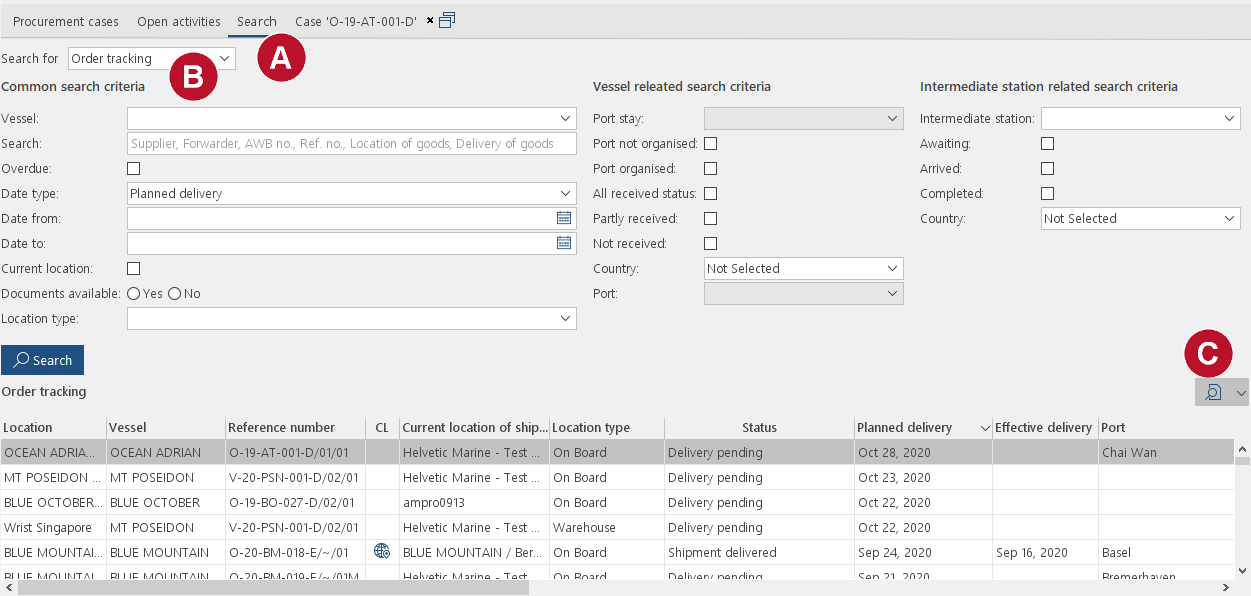 1.Click on the tab "Search" in the lower right section of the screen.
2.Select Order tracking in the field "Search for".
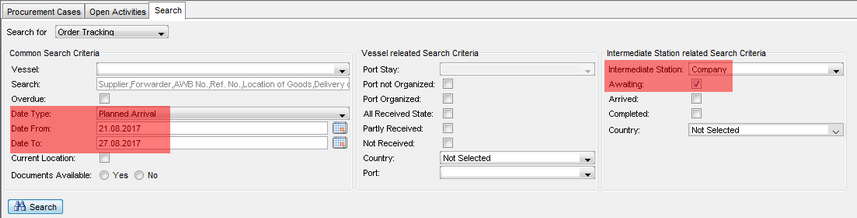
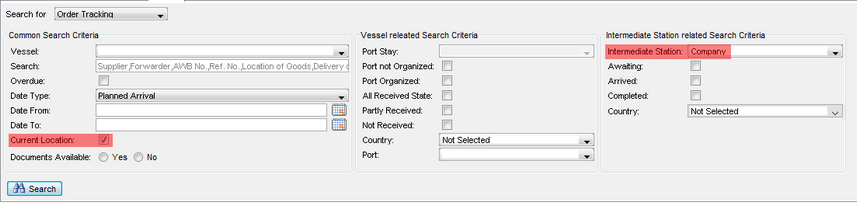
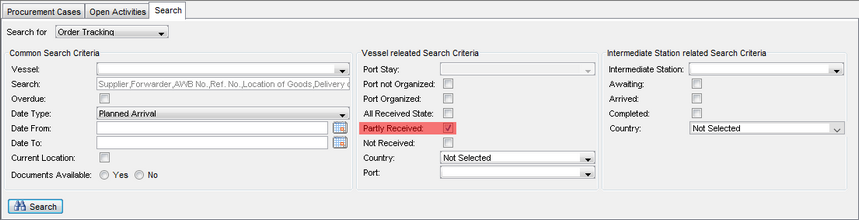
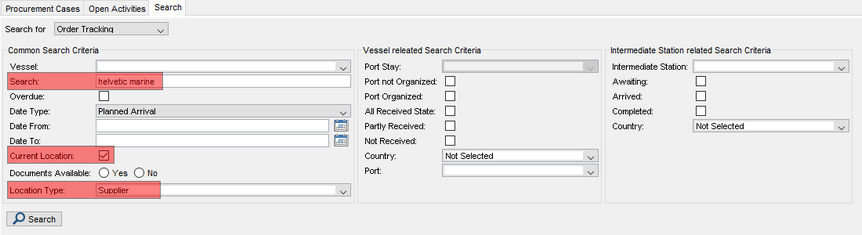
3.The search options allow you to answer a variety of questions concerning the delivery of goods. Please see the examples below.
4.After having set the relevant search options, click on "Search" to get the list of all sent orders that match your search.
5.You may create a report by selecting the relevant orders and clicking on the report icon •Order tracking Overview Report: Select several reports by holding down the shift or ctrl key and selecting orders with your mouse or select all reports with ctrl + a. You can select: o"Delivery location overview" o"Delivery location overview Excel" Tracking Overview Excel Report: as Order tracking Overview Report but comes as an excel file for further processing. 6.To see the list of ordered goods open a case and select in the left side case tree an Order. |


 Examples of questions concerning the delivery of goods
The below filter and search form settings are examples that might answer some of the questions concerning the delivery of goods. You might however use different filter settings to answer a variety of questions.
The search and filter section is divided into three sections: common search criteria, vessel related related search criteria and intermediate station (transport company, warehouse, agent etc.) criteria. If the procurement presetting is set to "port based order tracking" , the field "Port Stay" is not shown, as this information is not available. And if no incomplete port stay is entered on the vessel, the field is inactive (displayed grey). If an order is in the status "cancelled" or "rejected" or belongs to a case that is "closed", the delivery location records are not considered in the search field.
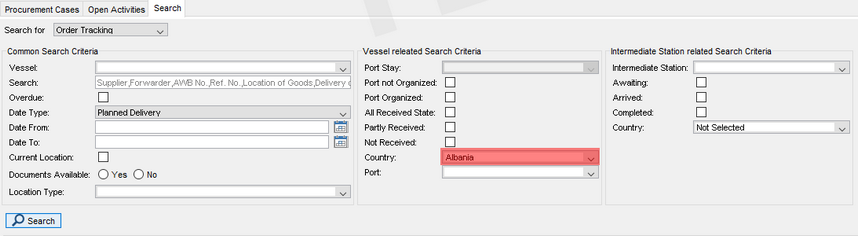
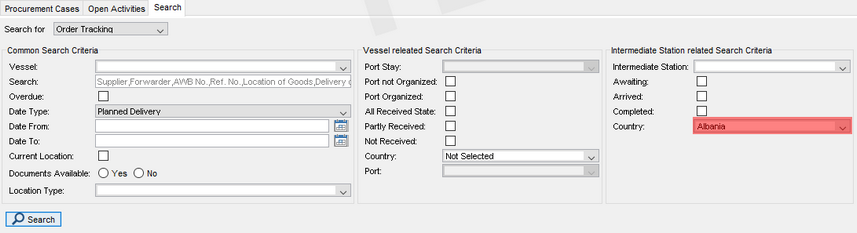
There are two fields with the label "Country". The country field in the vessel related search criteria searches the country entered in the Ship schedule, the country field in the intermediate station related search criteria searches in the planned delivery on board data of the order (see the last two example questions).
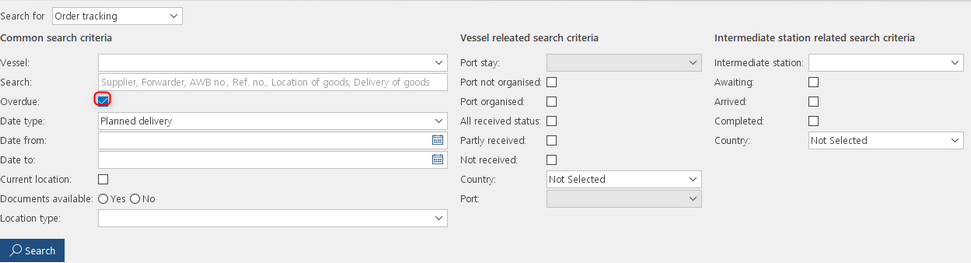
Which deliveries are overdue?
|
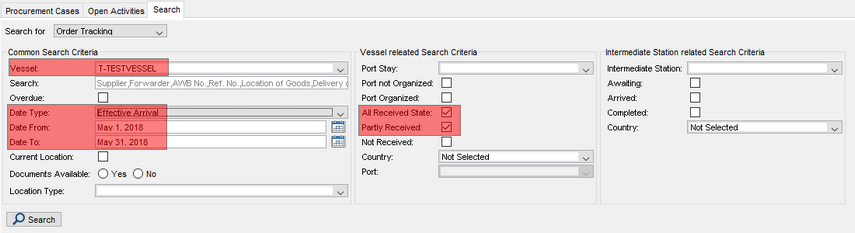
What has been delivered to the vessel last month?
|
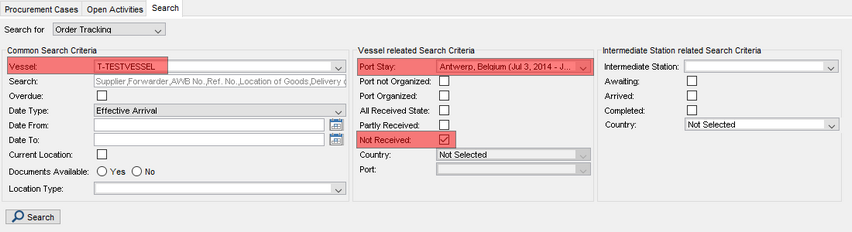
Which goods go to the vessel at it's next port stay?
|
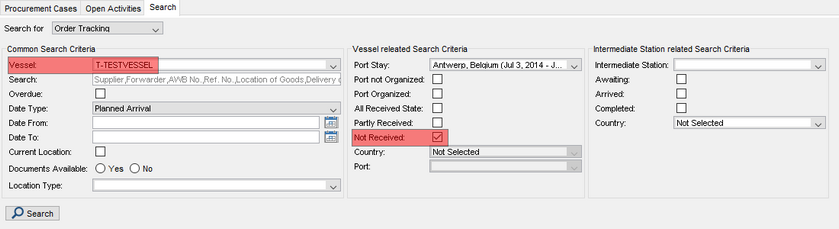
Which orders are pending for delivery to vessel?
|
Which orders should arrive at specific warehouse next week?
|
Which orders do I have currently in warehouse?
|
Which orders are partly delivered?
|
Which orders are still at a specific supplier?
|
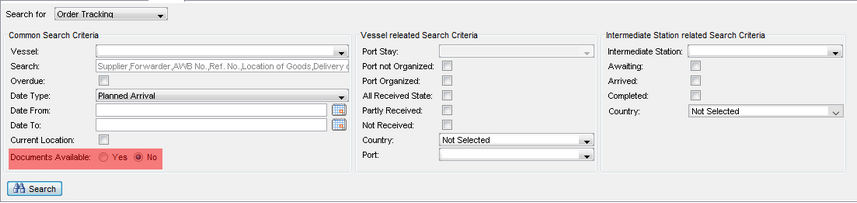
For which deliveries, the delivery documents are missing?
|
Where are the goods for the vessel going to Albania?
|
Where are the goods planned to be delivered in Albania?
|