Search for suppliers
This function is exclusive for one selected member of your company (role "add suppliers" - distributed by MESPAS ). All other users of the procurement have a "read only" access to this screen.
1.Go to menu "Procurement" > "Suppliers". 2.Enter a search term and click on "Load".  •The grades in the column "Supplier Rating" are average values from the Supplier Evaluation of your company. To add a supplier, click on "Add". This function is only available for users with the right/role to add suppliers. This role is given by MESPAS only. Once you click on "Add" button you will be brought to a web form where you can add the new supplier. MESPAS adminstrators are then verifying the new record and approve/reject the supplier accordingly. Once this step is done you will be informed about availability of the new supplier in the system
Edit suppliers To edit an existing supplier's address, select it and click on "Edit". To manage notes about a supplier, click on "Company note". Suppliers with a company note are indicated in the column "CoN". To manage documents about a supplier, click on "Documents". |

Manage suppliers
In this screen you may add or edit general information, terms and the status of a supplier (favourite, black list.. ). This screen is only available for the procurement administrator of your company.
1.Go to menu "Procurement" > "Admin suppliers". 2.Enter a search term and click on "Load".
See Supplier profile in the web If you want to find out more about a supplier you may use the link "Show supplier profile" with a right-click on the selected supplier row 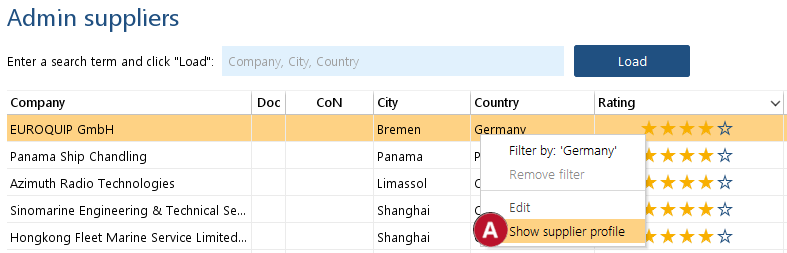
Add or edit general information, terms and the status of a supplier 3.To add or enter general information, terms and the status of a supplier, select it and click on click on "Edit". 4.Open the different tabs to edit the below fields. |
|||
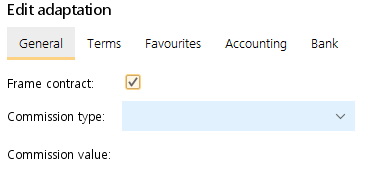 |
Frame Contract: Marks if your company has a frame contract with a supplier. The ticker is visible in the supplier section in the procurement. Commission Type and Commission value: This fields are for MESPAS TSM customers that use the order export function. Information about suppliers commission can be exported to a accounting software. Set the available commission types in Company Profile. |
||
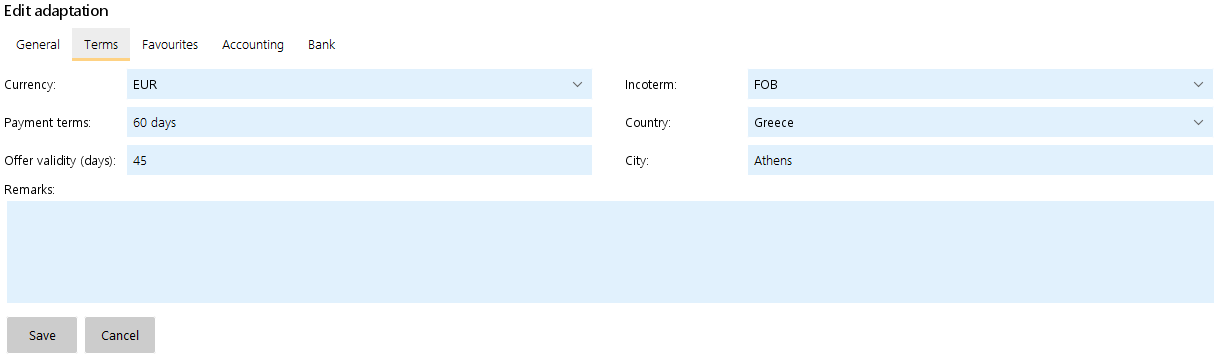 |
Terms: You may enter special terms for a supplier that deviate from your normal terms. Terms set here will overwrite in a request your normal default terms set in "My profile". |
||
 |
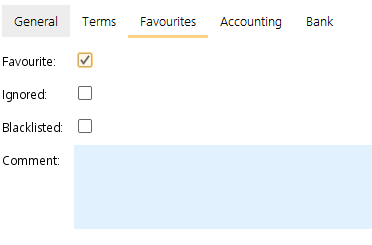
Favourite: This supplier is automatically invited if the profile matches the terms and products of the purchase request. The supplier can be disinvited if required. Ignore: The supplier is ignored even if the profile matches the terms and products of the purchase request. It will not be proposed as a matching supplier but can get invited manually if necessary. Blacklist: The supplier can be found in the search but cannot be invited to quote. If none of the above three tickers is set, a supplier is shown when you click on "suggest supplier" and his profile matches the terms and products of your purchase request.
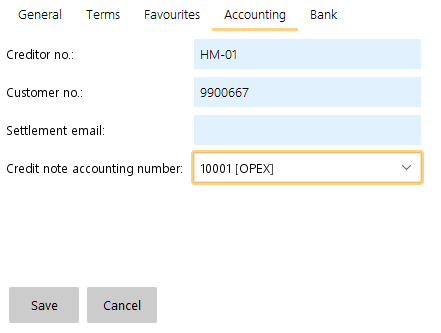
Accounting: Enter a creditor number, a credit note accounting code, your customer number and a settlement email. The settlement email is used for an accounting interface. The same settings can also be done on the Account Setting screen.
|
||
Enter the bank accounts of a supplier 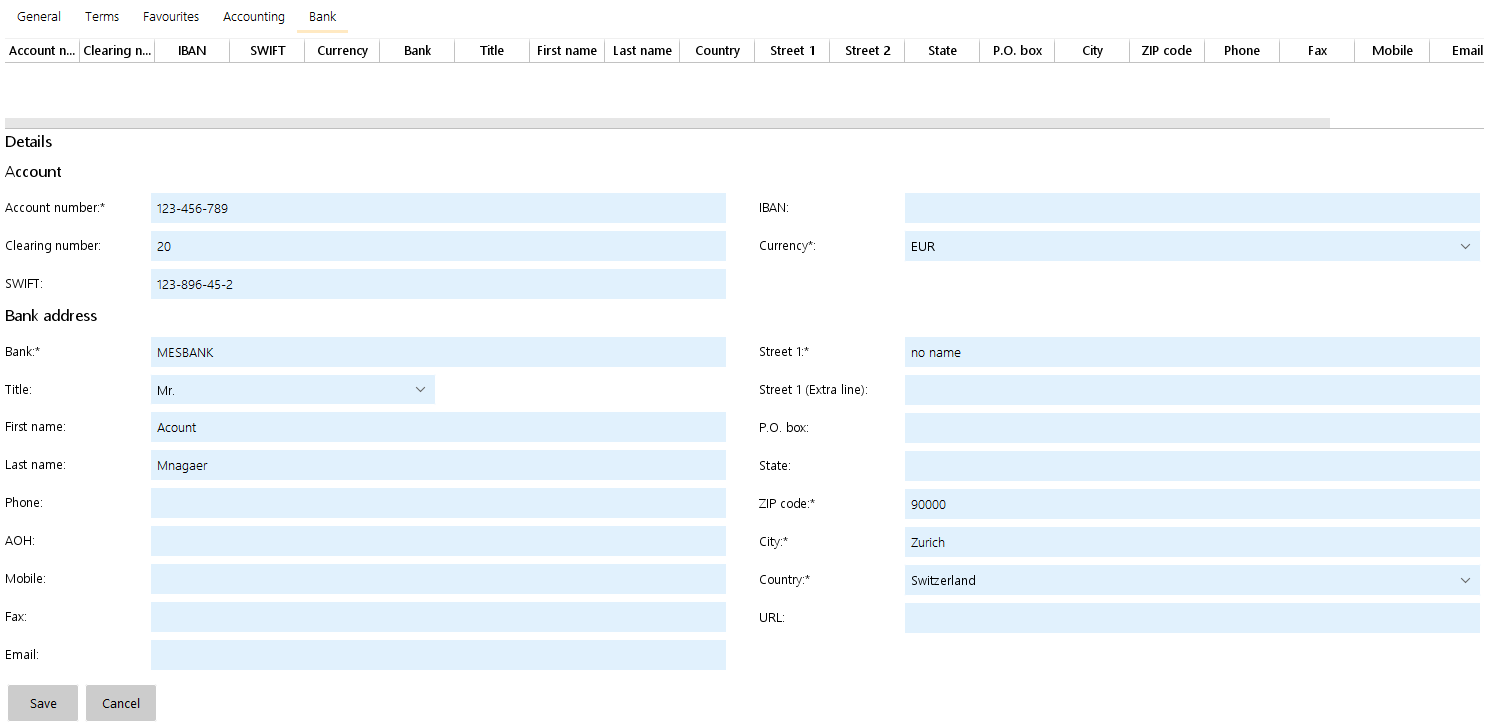 Bank Account: The Suppliers bank accounts (together with the bank address) can be selected and assigned to each order in the procurement. |
|||
Mark a supplier employee as "Key Account" 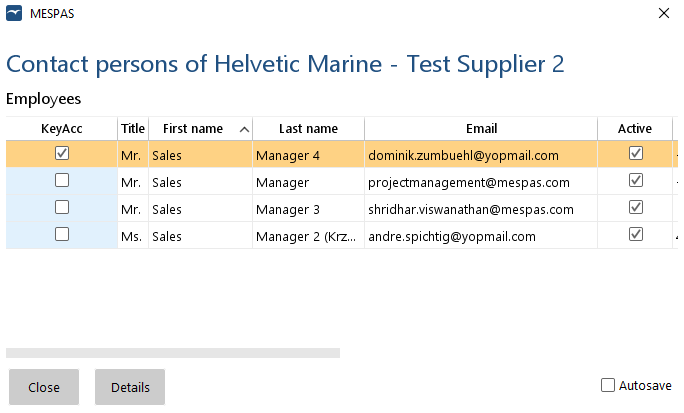 |
If you are often in contact with a supplier company, you may know the suppliers employee who is in charge of your orders. Pick this employee as your key account manager: 1.Select a supplier company and click on "Empl.". 2.Select your key account manager and set the ticker in column "KeyAcc". 3.Click "Close". When you select the respective supplier company in a request or order, your key account manager (marked with an asterisk *) is selected by default. NOTE: You can only select one key account manager per supplier company. If you select an other employee the first selection is canceled. |
||


