|
Go to menu "Procurement" > "Orders".
You will be looking at the list of all orders placed for your vessel except the ones not archived yet. |
||
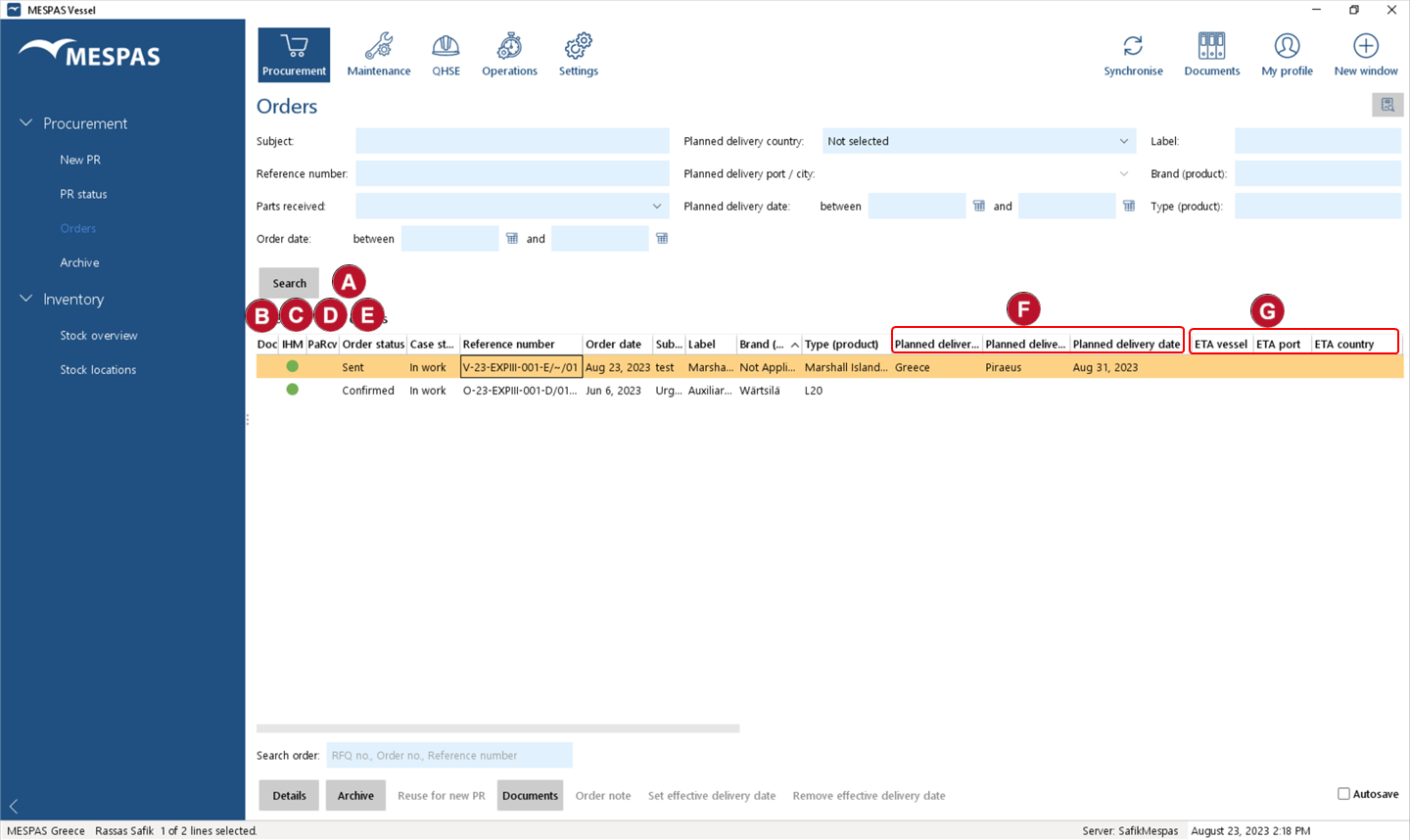 •You may search for an order by using the search and filter fields
•You can see with various columns the status of your orders in one list: o"Doc" o"IHM" o"PaRcv" ▪ ▪ ▪ ▪no icon: not received. •The "Order status" •The columns "Planned delivery date", "Planned delivery county", "Planned delivery port/city"
•The columns "ETA vessel", "ETA country" and "ETA port" |
|||
What do I have to do with orders?
You may use the action buttons on the bottom of the order list. We will explain now what action can be used in what way.  •"Details": this is the mostly used action in order to check the line items and confirm GRN. We will explain this separately on the next page. •"Archive": for "old" orders that are delivered and closed and not anymore of interest in this view. Those can be selected and moved to the archive. You can always access the archive for reference. •"Reuse for new PR"; this is a handy function to use an existing order to order it again. All line items will be selected already and you may just adjust the quantities. This can be useful for provision orders or engine store orders or any other repeated orders. •"Documents": to check if any documents are connected with this order. Also you can use this to add new documents to the order record. •"Order note": check and add notes to the order. •"Set effective delivery date": if you receive multiple orders in a port you may mark them as received. You can •To keep track of orders and deliveries, also for the coworkers in the office you must record the parts received accurately. •Orders can be archived. |
|||


|
Select an order and click "Details". •You can update the item stock automatically and deduct items used/installed at the moment of reception. •You can confirm the quantities received per order item. •The current location of a shipment is indicated with a globe icon •You may keep the order details open while clicking through different orders. |
