In the planned maintenance module your office can define jobs where you can enter parts that were used for an overhaul. The office may also enter a list of parts that are usually required for a maintenance activitiy and define in stock control minimum and maximum quantities of these parts to be on stock.
On board the vessel you can check the list of parts required before executing a maintenance activity and you can create purchase requests to automatically fill your stock according to the above minimum and maximum quantity of each required part.
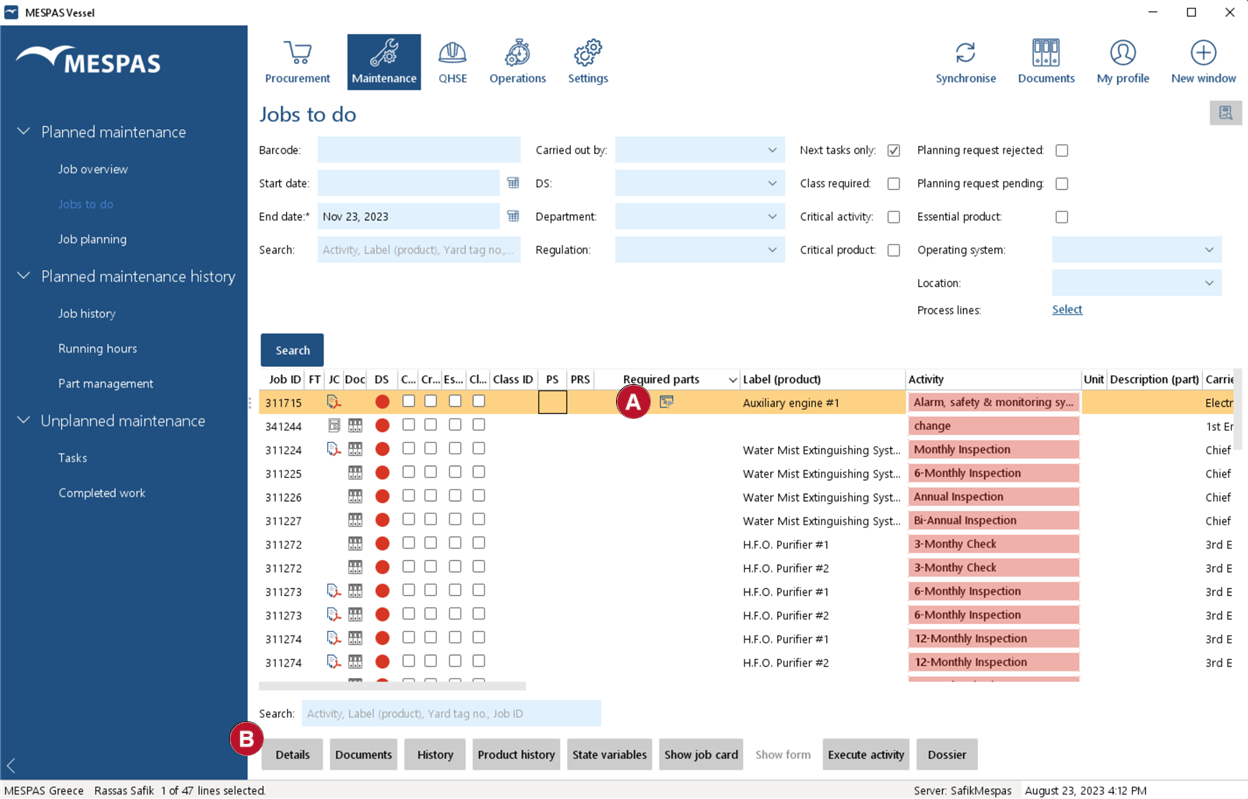 |
1.Go to "Maintenance" > "Jobs to do" or "Job overview". 2.Select a job.
3.Click on "Details" button |
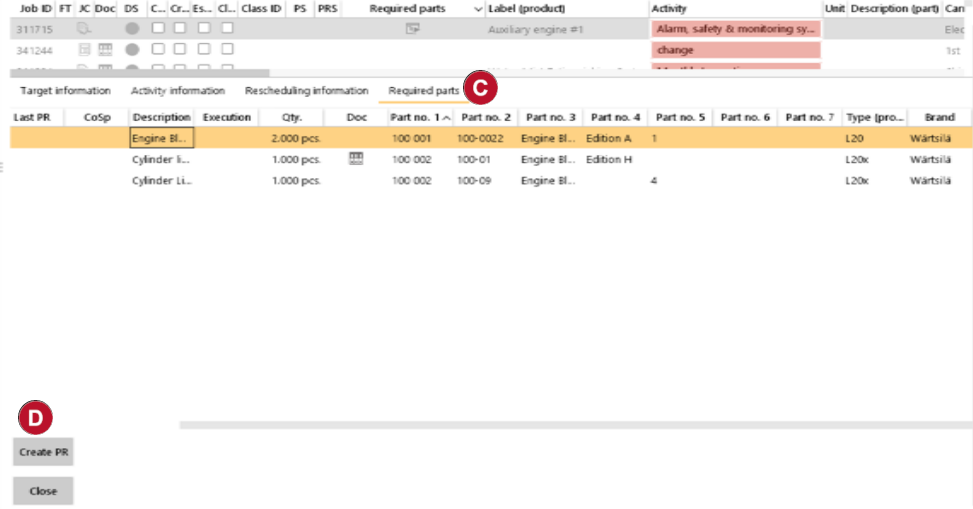 |
4.Select the tab "Required parts".
5.Select one or several parts.
6.Click on "Create PR" |


MESPAS TSM proposes default quantities for a purchase request that depend on the settings made in office. The default quantity is calculated to bring the ROB value after execution of the job and subtraction of the parts used to the maximum quantity (if defined in stock management) or to the minimum quantity (if no maximum is defined) or to zero (if no maximum or minimum is defined).
If the parts unit (piece, box, liter, kg etc.) in the stock management and the required parts for a maintenance setting are not the same, MESPAS TSM will propose to request the same quantity and unit as required for the maintenance activity.
Please see below examples:
Stock Unit |
ROB Minimum |
ROB |
ROB Maximum |
Required for job |
Required Unit |
Default value for PR |
not defined |
not defined |
not defined |
not defined |
10 |
piece |
10 pieces |
piece |
2 |
not defined |
not defined |
10 |
piece |
12 pieces |
piece |
2 |
5 |
not defined |
10 |
piece |
7 pieces |
piece |
2 |
5 |
10 |
10 |
piece |
15 pieces |
piece |
not defined |
5 |
10 |
10 |
piece |
15 pieces |
piece |
not defined |
not defined |
10 |
10 |
piece |
20 pieces |
piece |
5 |
2 |
not defined |
10 |
piece |
13 pieces |
box |
2 |
5 |
10 |
10 |
piece |
10 pieces |
|
The purchase request for missing parts directly from the planned maintenance is enabled if the ticker "Define parts" in the maintenance settings is set. |
